
Signing In to Performance Hub
Access your Performance Hub account using your organization's Single Sign On authentication service.
Quick Reference
Before You Sign In
You must have an account provisioned by your organizational administrator before you can access Performance Hub. If you don't have an account yet, see the Don't Have an Account Yet? section below.
Sign In Page
When you navigate to Performance Hub, you'll see the sign-in page offering different authentication options based on your organization's configuration.
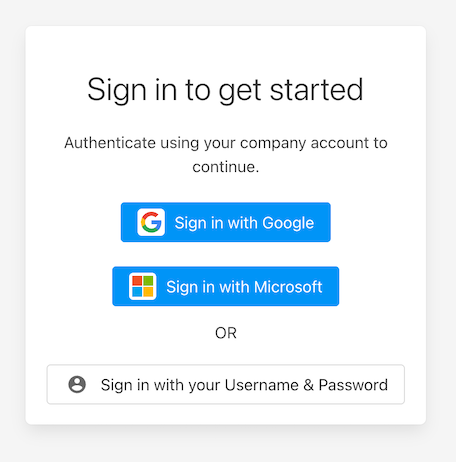
Figure 1: Performance Hub sign-in page showing available authentication options
How Sign In Works
Performance Hub uses Single Sign On authentication, which means you sign in using your organization's corporate identity provider rather than creating a separate Performance Hub username and password.
Benefits of Single Sign On:
- Use your existing corporate login credentials
- Enhanced security managed by your organization
- No need to remember separate passwords
- Automatic linking to your organization's systems
Available Authentication Methods
The authentication options you see depend on what your organizational administrator has configured:
Sign in with Google - Uses your organization's Google Workspace account
Sign in with Microsoft - Uses your organization's Microsoft 365 or Azure Active Directory account
Sign in with Username and Password - Uses your organization's custom identity provider
Sign In Process
- Navigate to https://app.performancehub.co/
- Click the button that matches your organization's identity provider
- Sign in using your corporate credentials
- Once authenticated, you'll be redirected to your Dashboard
First Time Sign In
The first time you sign in:
- You may be asked to grant permissions for Performance Hub to access basic profile information
- These permissions allow Performance Hub to verify your identity and display your name
- Once permissions are granted, you'll be directed to your Dashboard
Multi-Factor Authentication
If your organization has enabled multi-factor authentication:
- You'll be prompted to complete an additional authentication step
- This typically involves entering a verification code or approving a notification
- These steps are managed by your organization's identity provider
Common Issues
Don't Have an Account Yet?
If you work for an organization that already uses Performance Hub:
Contact your organizational administrator to request access. They will add you to your organization's Performance Hub access list and link your corporate identity to the appropriate facilities.
If your organization is not yet a Performance Hub customer:
Visit our contact page to schedule a demo with our sales team and learn about bringing Performance Hub to your organization.
Authentication Failed
If you receive an authentication error:
- Make sure you're clicking the correct sign-in button for your organization's identity provider
- Verify your account has been provisioned by your organizational administrator
- Check that your corporate credentials are correct and not expired
- Try clearing your browser cache or using a different browser
Access Denied After Signing In
If you successfully authenticate but see an access denied message:
- Your account may not be linked to a facility yet
- Your account permissions may still be processing
- Contact your organizational administrator to verify your account has been properly provisioned
Session Expired
If you're automatically signed out, this is normal security behavior after a period of inactivity. Simply sign in again to continue working.
Security Best Practices
Protect your credentials:
- Never share your corporate login credentials
- Use strong passwords as required by your organization
- Enable multi-factor authentication if available
- Sign out completely when using shared or public computers
Use secure networks:
- Access Performance Hub from trusted networks when possible
- Use your organization's VPN when required
- Avoid public WiFi for accessing sensitive information
Report suspicious activity:
- Unexpected sign-in notifications
- Unusual account behavior
- Contact your organizational administrator immediately if you suspect your account is compromised
Getting Help
Need Access?
Existing organization: Contact your organizational administrator to request account provisioning
New organization: Contact our sales team at https://performancehub.co/contact/
Having Sign In Problems?
- Check https://status.performancehub.co/ for service issues
- Try clearing browser cache or using a different browser
- Contact your organizational administrator for account access questions
- Visit https://performancehub.co/contact/ for technical support
Performance Hub uses enterprise-grade security with Single Sign On to ensure your data and facilities are protected. Your organizational administrator controls access provisioning and permissions.