
Retain & Archive
Retention policies keep your storage costs sane by deleting old footage automatically — but some footage must survive: an incident, an insurance claim, evidence requested by police. Retaining a recording exempts it from auto-deletion. It stays until someone deliberately unretains it.
Retaining a recording
Find the clip — in Recordings or on the Timeline — open it, and click Retain recording:
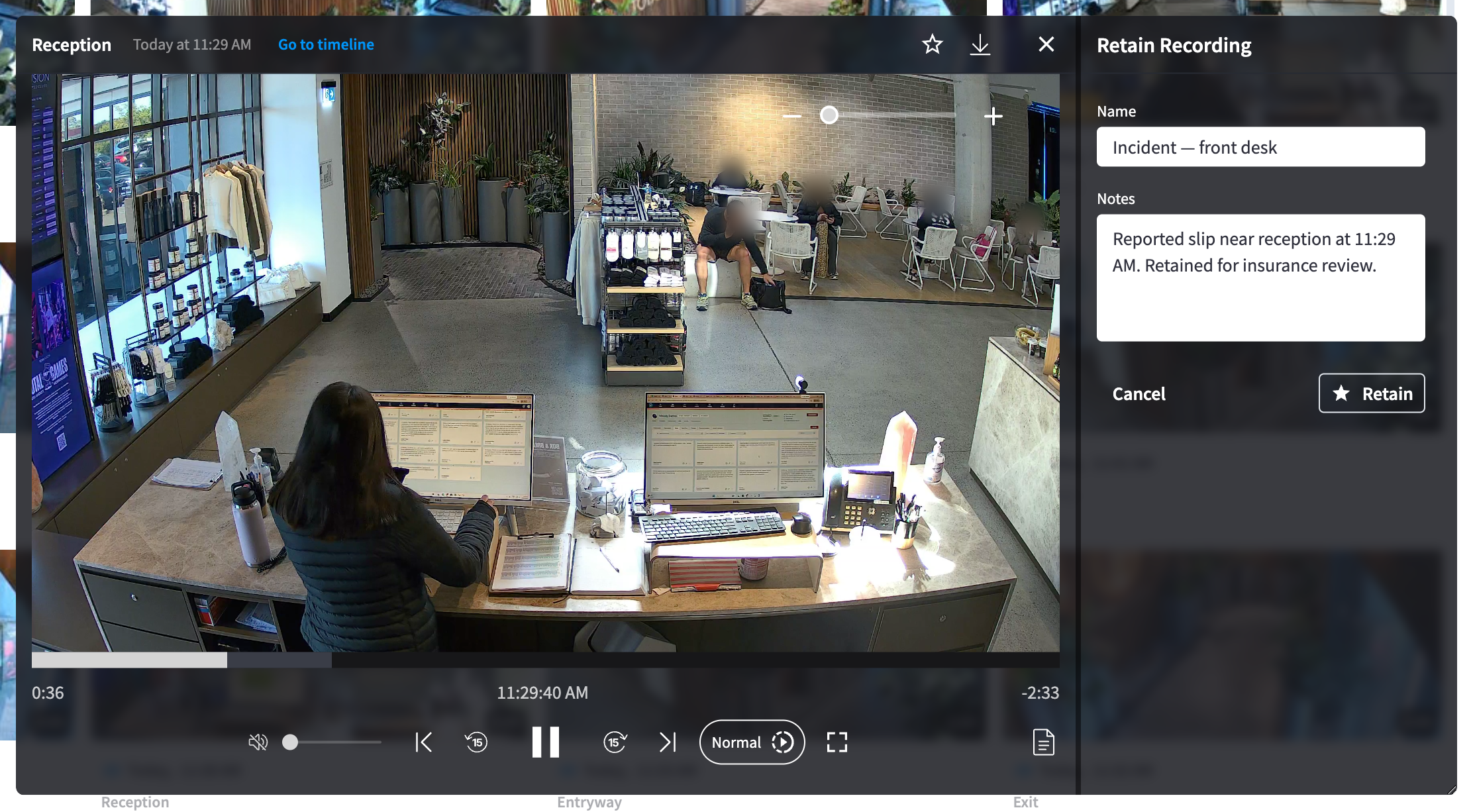
Figure 1: The Retain Recording panel — a name and notes, kept with the clip
- Give it a Name (e.g. "Incident — front desk") and Notes explaining why (e.g. "Reported slip near reception at 11:29 AM. Retained for insurance review."). Write them for a reader two years from now — include claim or report numbers.
- Click Retain. The clip is marked immediately — a Retained ribbon on its card, and the player action flips to Unretain recording.
Who retained it, when, and the name and notes are kept with the recording, and viewing activity surfaces in the module's access logs.
What retention protects
| Protected from | The recordings retention policy — the clip is skipped by auto-deletion no matter how old it gets |
| Not protected from | Deliberate unretaining; the facility ceasing to use the product |
| Storage cost | Retained clips still occupy storage and count in the "Retained Footage (Incidents)" line of your storage summary — this is by design; they're the footage you chose to pay to keep |
Finding retained footage
- Recordings → Type → Retained Recordings filters the library to only retained clips.
- The Dashboard's Storage Utilisation sidebar counts your Retained Recordings at a glance, with a View Footage shortcut straight to them.
Unretaining
Open the retained clip and click Unretain recording. The clip returns to normal retention rules — if it is already older than your retention window it becomes eligible for deletion, so unretain only when the clip is genuinely no longer needed.
Practices that hold up later
- Retain immediately. The default window is one month (Storage & retention) — an incident discovered late can be unrecoverable. Make "retain the clip" part of any incident procedure.
- Retain the surrounding clips too. Context before and after an event is usually requested later; the Timeline's Go to timeline makes finding adjacent clips trivial.
- Use reference numbers in the name and notes. A claim number or police report number connects footage to paperwork long after everyone's memory has faded.
- For handover, use a share link (Sharing & guest access) — scoped, expiring, and audited — rather than downloading and emailing files.
Related pages
- Storage & retention — the policies retained clips are exempt from
- Recordings — finding and filtering clips
- Security & privacy — the audit trail