
Storage & Retention
Your footage lives in cloud object storage in a region you choose, and three retention policies decide how long each category of data is kept. This page covers the storage summary, regions, retention, and cost.
The storage summary
The Dashboard's Storage Utilisation sidebar is always one glance away — total regular and retained recording counts, the earliest recording still in storage, and the estimated total footprint:
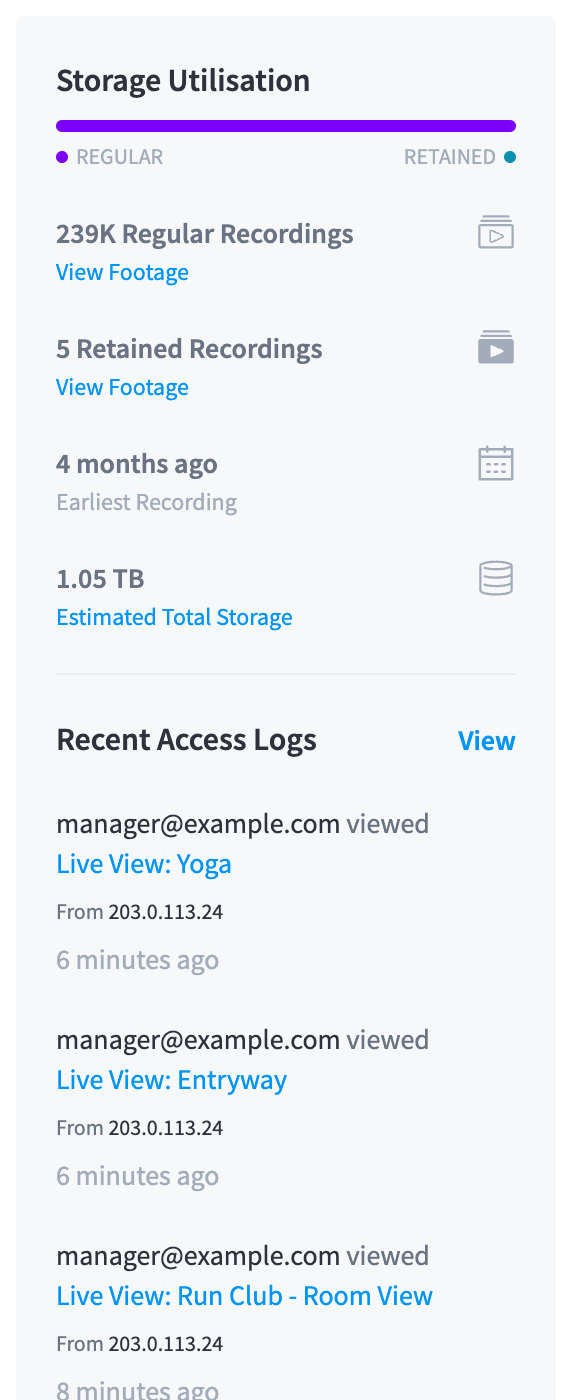
Figure 1: The Dashboard's Storage Utilisation sidebar — with the Recent Access Logs below it
The full picture lives in Settings → Cloud Storage ("Configure cloud storage location and recording retention policies."):
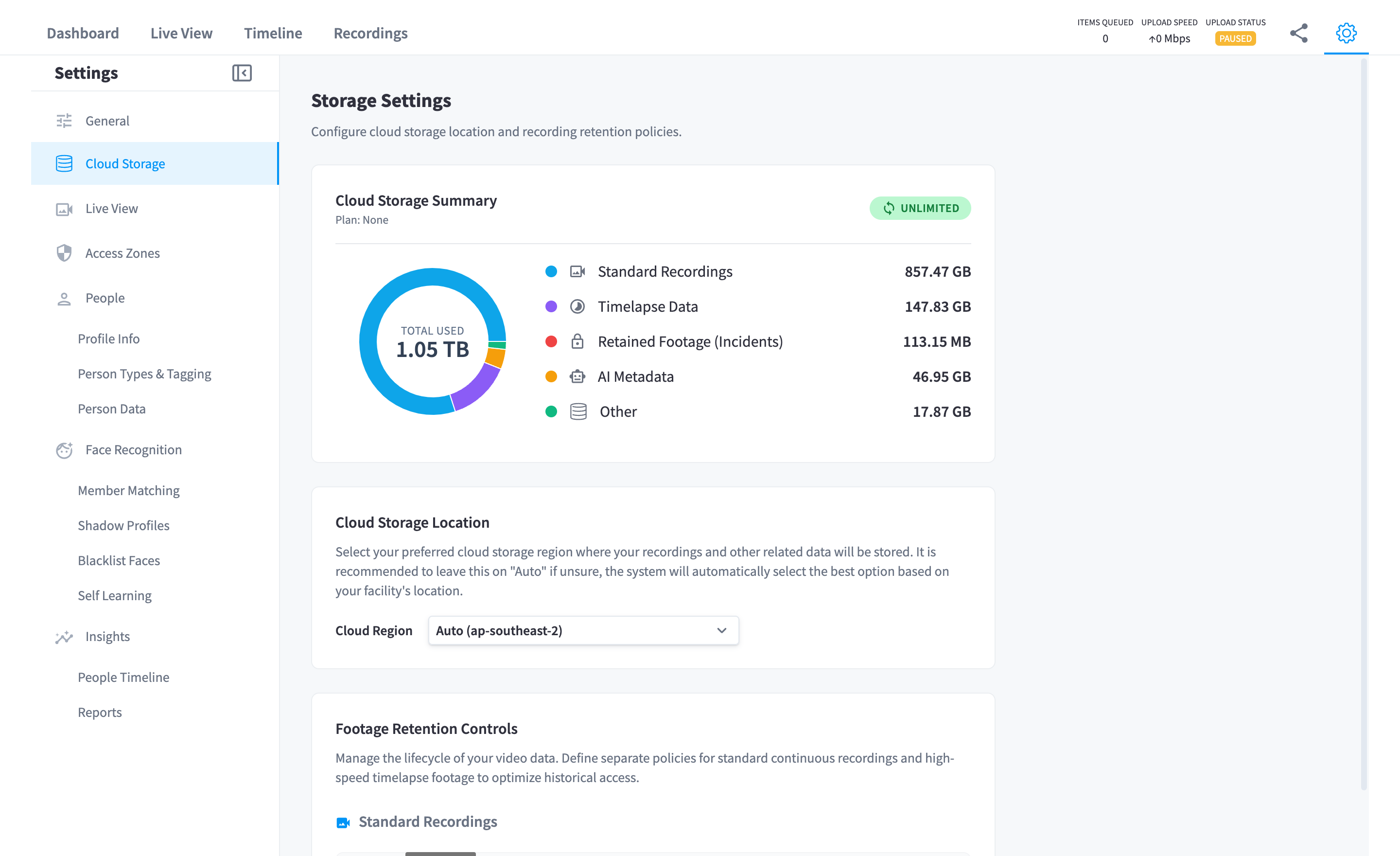
Figure 2: Settings → Cloud Storage — the summary, the storage location, and the retention controls on one page
The Cloud Storage Summary breaks the total down by category:
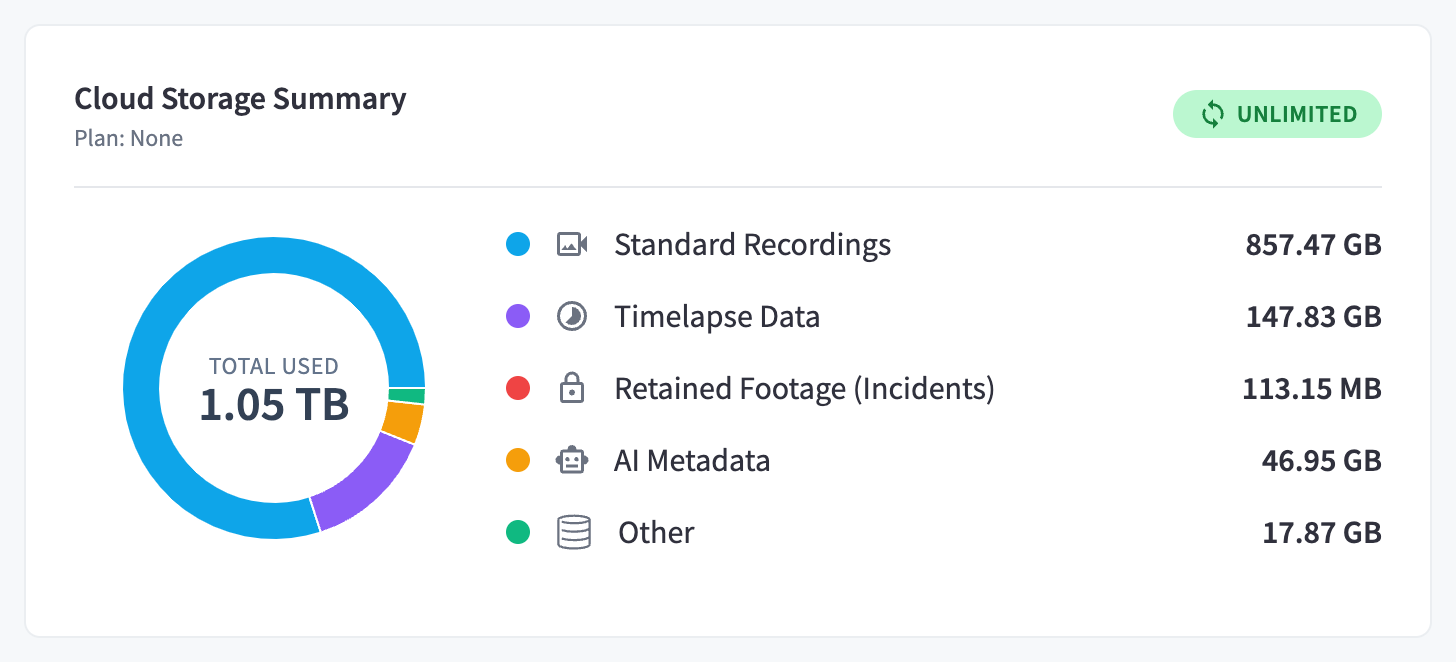
Figure 3: The per-category breakdown
| Category | What it is | Governed by |
|---|---|---|
| Standard Recordings | Ordinary clips (motion or continuous) — usually the bulk of the total | The recordings retention policy |
| Timelapse Data | The once-a-minute imagery behind the Timeline filmstrip | The timelapse retention policy |
| Retained Footage (Incidents) | Clips you've retained | Kept until unretained |
| AI Metadata | Detection data produced by AI processing (an AI Insights & People artefact) | The AI metadata retention policy |
| Other | Everything small — thumbnails, previews, and supporting data | Follows its parent footage |
Storage regions
Each facility's footage is stored in a single storage region, chosen under Cloud Storage Location — "Select your preferred cloud storage region where your recordings and other related data will be stored. It is recommended to leave this on 'Auto' if unsure, the system will automatically select the best option based on your facility's location."
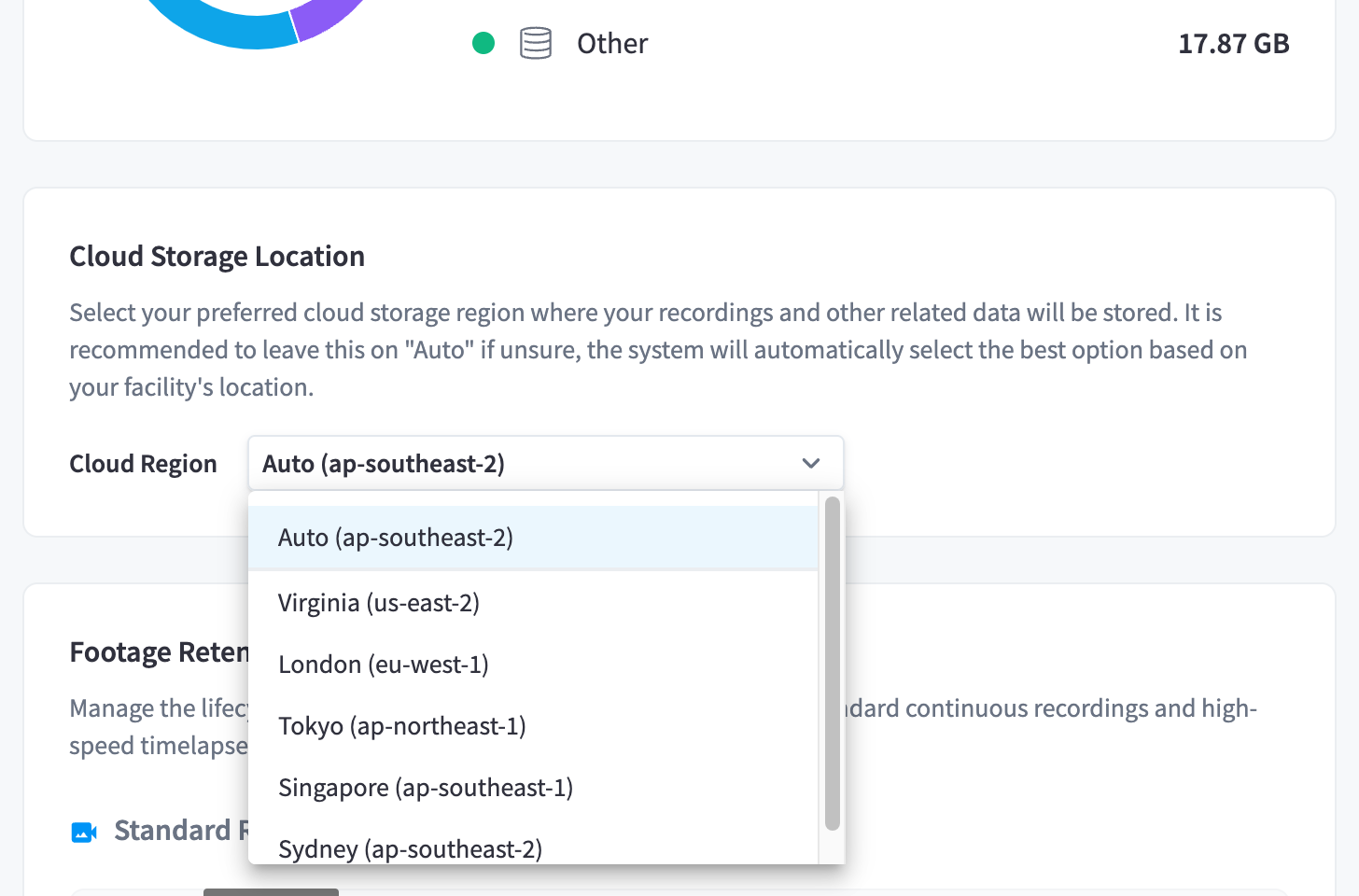
Figure 4: The Cloud Region selector — Auto or an explicit region
- Auto (the default) picks the region nearest your facility — the selector shows what Auto resolved to, e.g. "Auto (ap-southeast-2)".
- Or pick an explicit region — the usual reason is data residency: keeping footage in your own jurisdiction.
The platform supports 16 storage regions across four continents:
| Region | Location |
|---|---|
| 🇺🇸 | Virginia (Ashburn), USA |
| 🇺🇸 | Virginia (Manassas), USA |
| 🇺🇸 | Texas, USA |
| 🇺🇸 | Oregon, USA |
| 🇺🇸 | San Jose, USA |
| 🇨🇦 | Toronto, Canada |
| 🇳🇱 | Amsterdam, Netherlands |
| 🇩🇪 | Frankfurt, Germany |
| 🇬🇧 | London (Slough), UK |
| 🇬🇧 | London (Chessington), UK |
| 🇫🇷 | Paris, France |
| 🇮🇹 | Milan, Italy |
| 🇯🇵 | Tokyo, Japan |
| 🇯🇵 | Osaka, Japan |
| 🇸🇬 | Singapore |
| 🇦🇺 | Sydney, Australia |
For European facilities, choosing a region outside Europe raises a compliance warning: "The selected region is not within Europe. Please be aware that choosing a non-European region may impact data protection regulations, including GDPR compliance."
Set the region before building up an archive — it applies to footage as it is uploaded. If you need to change the region for a facility that already holds a large archive, contact support about the existing data.
Retention policies
The Footage Retention Controls ("Manage the lifecycle of your video data. Define separate policies for standard continuous recordings and high-speed timelapse footage to optimize historical access.") decide how long each data category lives:
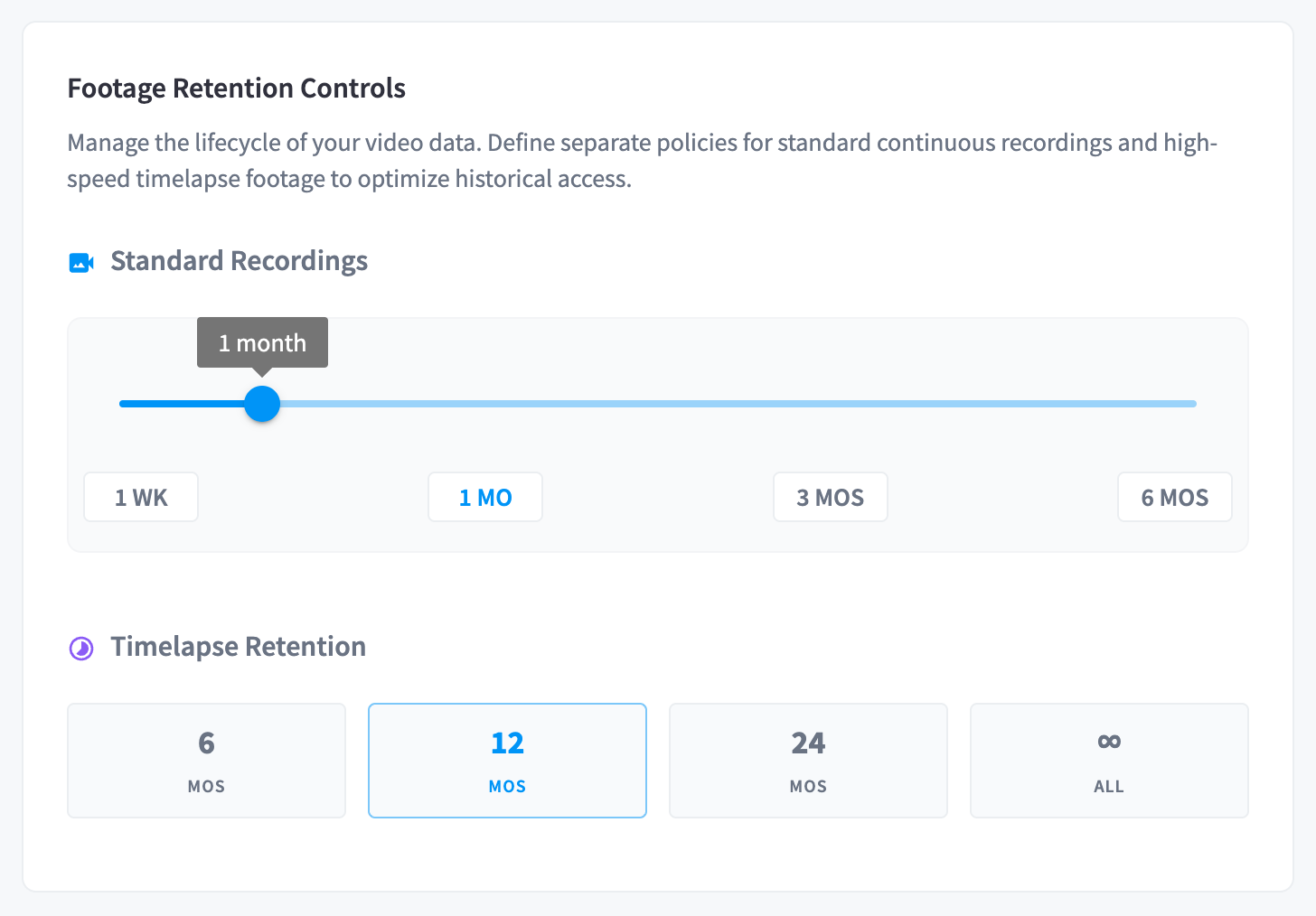
Figure 5: Recording and timelapse retention
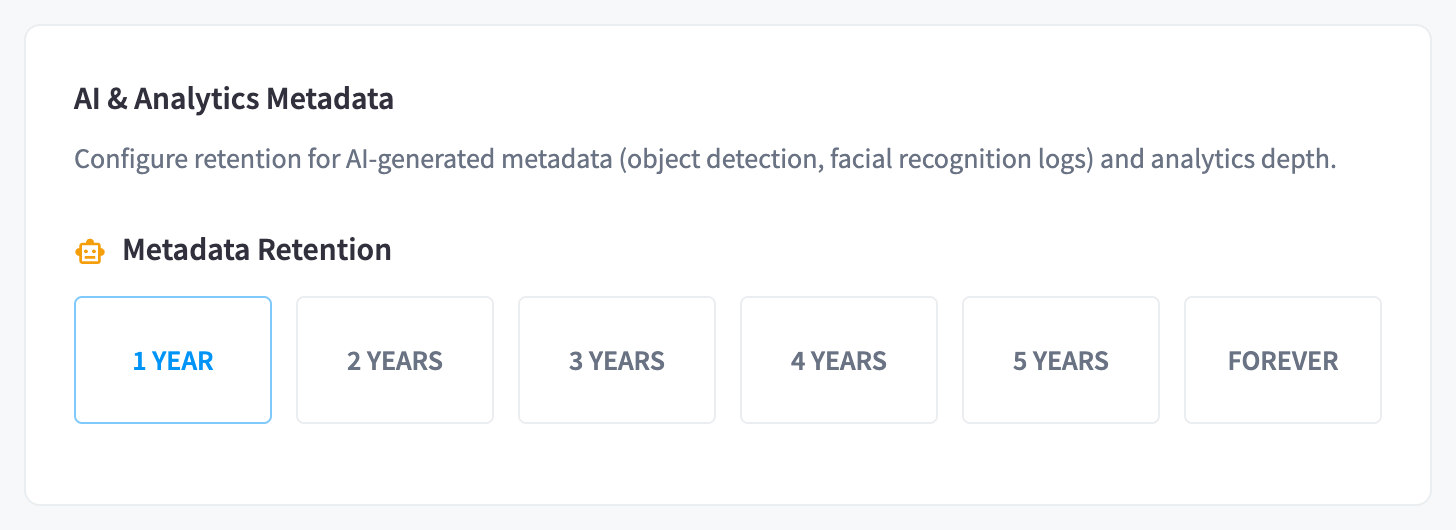
Figure 6: AI metadata retention
| Policy | Options | Default |
|---|---|---|
| Recordings | 1 week · 1 month · 3 months · 6 months | 1 month |
| Timelapse | 6 months · 1 year · 2 years · Forever | 6 months |
| AI Metadata | 1 year · 2 years · 3 years · 4 years · 5 years · Forever | 2 years |
How to think about the split:
- Recordings are the storage heavyweight — full-rate video. Most facilities discover an incident within days, so a short recordings window plus disciplined retaining beats a long window on cost.
- Timelapse is cheap and long-range — one frame per minute compresses a day into a small footprint, which is why it can affordably reach back months or years for "what did the space look like" questions.
- AI metadata is tiny but valuable over time — detection data feeds AI Insights & People reporting, where year-over-year comparison matters.
Changes apply to the whole archive: shortening a policy makes older footage eligible for deletion on the next cleanup pass. Retained recordings are never touched by any policy.
Some organisations must also satisfy externally imposed minimums (industry rules, insurer requirements) — set the policy to the longest applicable requirement.
How storage is billed
CCTV has two usage-based billing components:
- Cloud storage — billed on your actual stored footprint across all four categories.
- Cameras — billed per active camera (a camera counts as active if it produced footage within the last 30 days).
Current rates and your live charges are available in the Performance Hub Billing & Cost Management section, and the breakdown's estimated monthly cost projects your current footprint forward, so you can see the effect of a retention change before committing to it. The levers, in order of impact: recordings retention window, recording mode (continuous stores roughly an order of magnitude more than motion-triggered), camera resolution, and the size of your retained set.
Related pages
- Retain & archive — the exemption from these policies
- Recording — what generates the data
- Security & privacy — encryption and data handling