
Security & Privacy
A surveillance product carries a double duty: protect the footage from outsiders, and be accountable for how insiders use it. This page describes both — the technical posture and the governance surface — in the same order a security review would ask about them.
Architecture posture
- Cameras are isolated. Cameras talk only to the Edge Processor on the local network — they never need internet access, never expose ports to the world, and their credentials live only in the appliance's configuration. A compromised camera brand's cloud is irrelevant to you: your cameras aren't on anyone's cloud.
- No inbound holes. The appliance makes outbound-only connections to the cloud (HTTPS and secure WebSockets). No port-forwarding, no dynamic DNS, no VPN appliance — the attack surface that plagues traditional DVR/NVR installs simply isn't there.
- The appliance is a managed device. It arrives pre-imaged, updates itself in a nightly window, and holds only a transient local buffer — footage's home is the cloud.
Encryption
| Path | Protection |
|---|---|
| Appliance → cloud storage | HTTPS (TLS) — chunked uploads to presigned, expiring destinations |
| Appliance → management plane | TLS — API calls and secure WebSocket messaging |
| Browser → Performance Hub | HTTPS |
| Browser → appliance (live view) | Encrypted WebRTC peer-to-peer, with an encrypted fallback path |
| At rest in the cloud | Server-side encryption in your chosen storage region |
Data residency
You choose where footage physically lives — one of 16 storage regions across the US, Canada, Europe, and Asia-Pacific. For European facilities the UI actively warns when a selected region would leave Europe: "The selected region is not within Europe. Please be aware that choosing a non-European region may impact data protection regulations, including GDPR compliance."
Retention as a privacy control
Privacy regulation generally requires that surveillance footage be kept no longer than needed. The retention policies are the enforcement mechanism: deletion is automatic, organisation-wide, and doesn't rely on anyone remembering. The retain mechanism is the documented exception — each retained clip carries a name and written notes and an actor, which is exactly the paper trail a privacy inquiry asks for.
Access logging
The module keeps Access Logs — a record of viewing sessions, staff and guest alike:
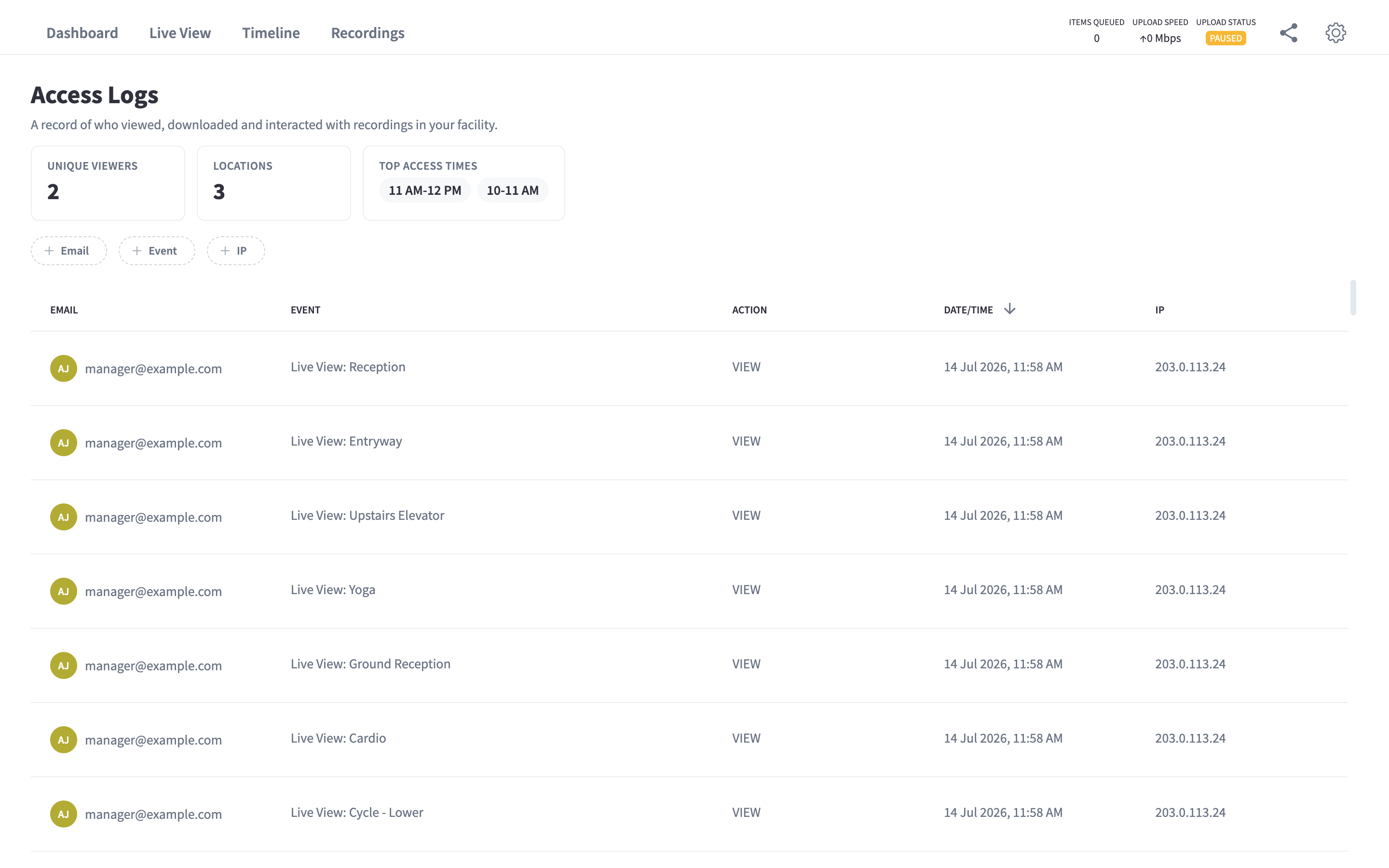
Figure 1: The Access Logs widget — who viewed footage, and when
The logs are also reachable from Settings → General → Activity Logs ("View logs of who has accessed the CCTV system and recordings that have been shared."), which offers both View Access Logs and View Share History — the latter being the record of every guest link created:
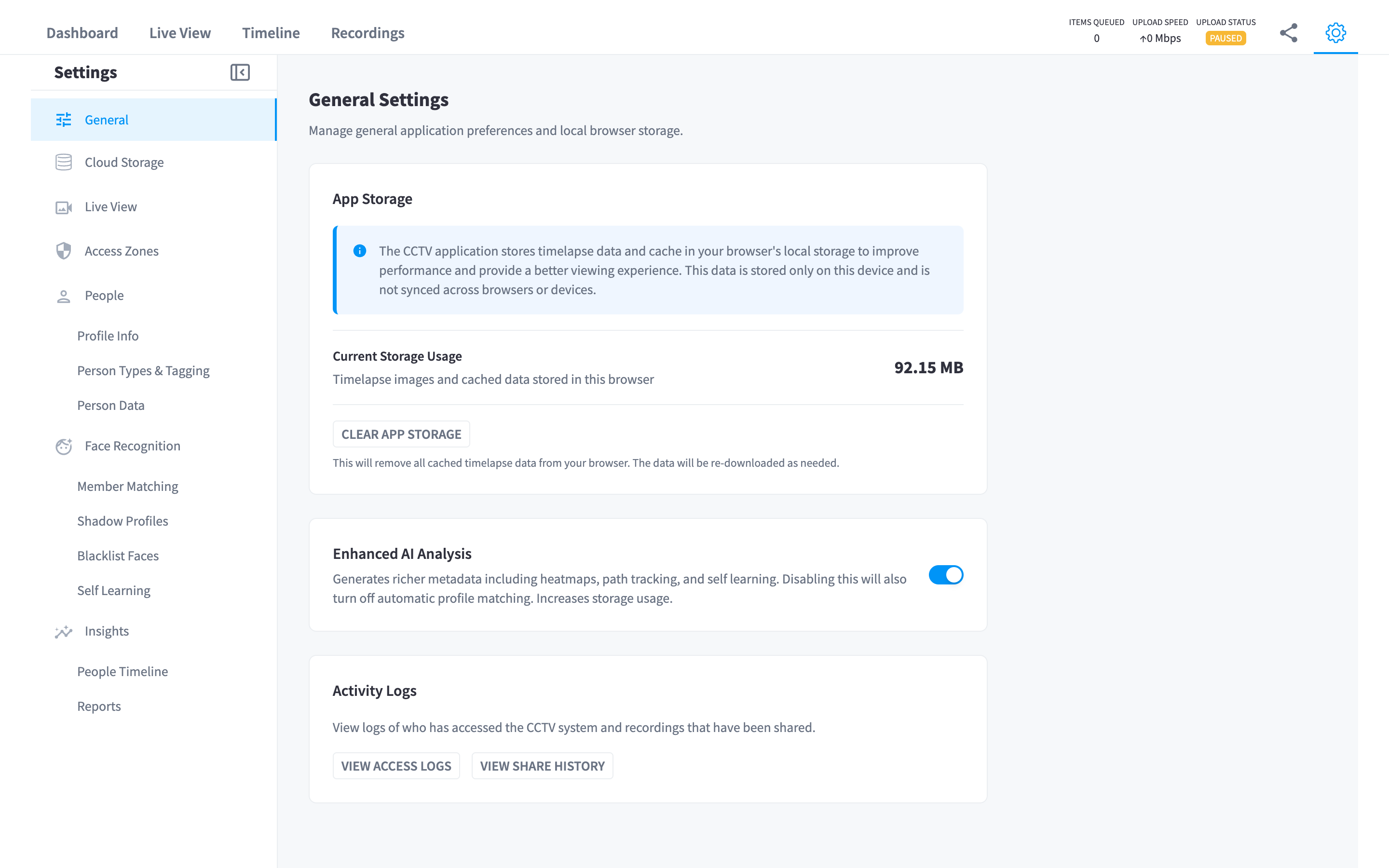
Figure 2: Settings → General — Activity Logs, plus the Enhanced AI Analysis switch
Combined with guest links (scoped, expiring) instead of emailed files, the organisation can always answer "who has seen this footage?" — including for footage handed to police or insurers. Door unlocks performed from Live View additionally require a stated reason and land in the door unlock logs.
People and faces
Recording video of people and identifying people are different activities with different legal weight. This module records video; identification (face recognition, member matching, people profiles) is the AI Insights & People feature, off unless enabled, with its own settings, consent considerations, and documentation. The Enhanced AI Analysis switch in Settings → General ("Generates richer metadata including heatmaps, path tracking, and self learning. Disabling this will also turn off automatic profile matching. Increases storage usage.") is the master control for the richer analysis tier. Two boundaries hold regardless:
- Guest share links never expose people data.
- AI person detection metadata has its own retention policy, separate from video.
Your obligations as the operator
The platform gives you the controls; local law decides how you must use them. Common obligations (jurisdiction-dependent — take advice):
- Signage — most jurisdictions require visible notice that CCTV is in operation.
- Placement — cameras generally must not cover changing rooms, bathrooms, or other high-privacy areas. Motion zones can narrow what triggers recording, but placement is the real control.
- Subject access — some jurisdictions grant individuals the right to request footage of themselves; retention windows bound how far back you can be asked to look.
- Staff policy — decide and document who may view footage and when; the access logs let you verify the policy is followed.
Incident checklist
If footage becomes evidence, work through this list (you can print it for your incident file):
Related pages
- Storage & retention
- Access control & permissions
- How it works — the same architecture, explained for operators