
AI Agent
The AI Agent is a dedicated AI employee for your facility — not a chat window in the cloud, but a physical appliance that lives on-site, holds its own memory, keeps its own files, runs its own schedule, and is plugged directly into your Performance Hub data.
You unbox it, connect power and network, pair it from this module, and from that point on your business has an assistant that:
- Knows your operation. Through its Performance Hub connection it can look up members, check attendance and bookings, review device health, and pull reports — scoped to exactly the facilities and modules you grant it.
- Remembers. Conversations aren't throwaway. The agent builds long-term memory about your business — the people, the preferences, the decisions — and gets more useful the longer you work with it.
- Works unattended. Scheduled tasks and automations let it prepare a morning summary before you arrive, watch for problems, and send push notifications to your phone when something needs you.
- Keeps your data yours. Everything lives on hardware at your facility, protected by encrypted hourly cloud backups in regions you choose.
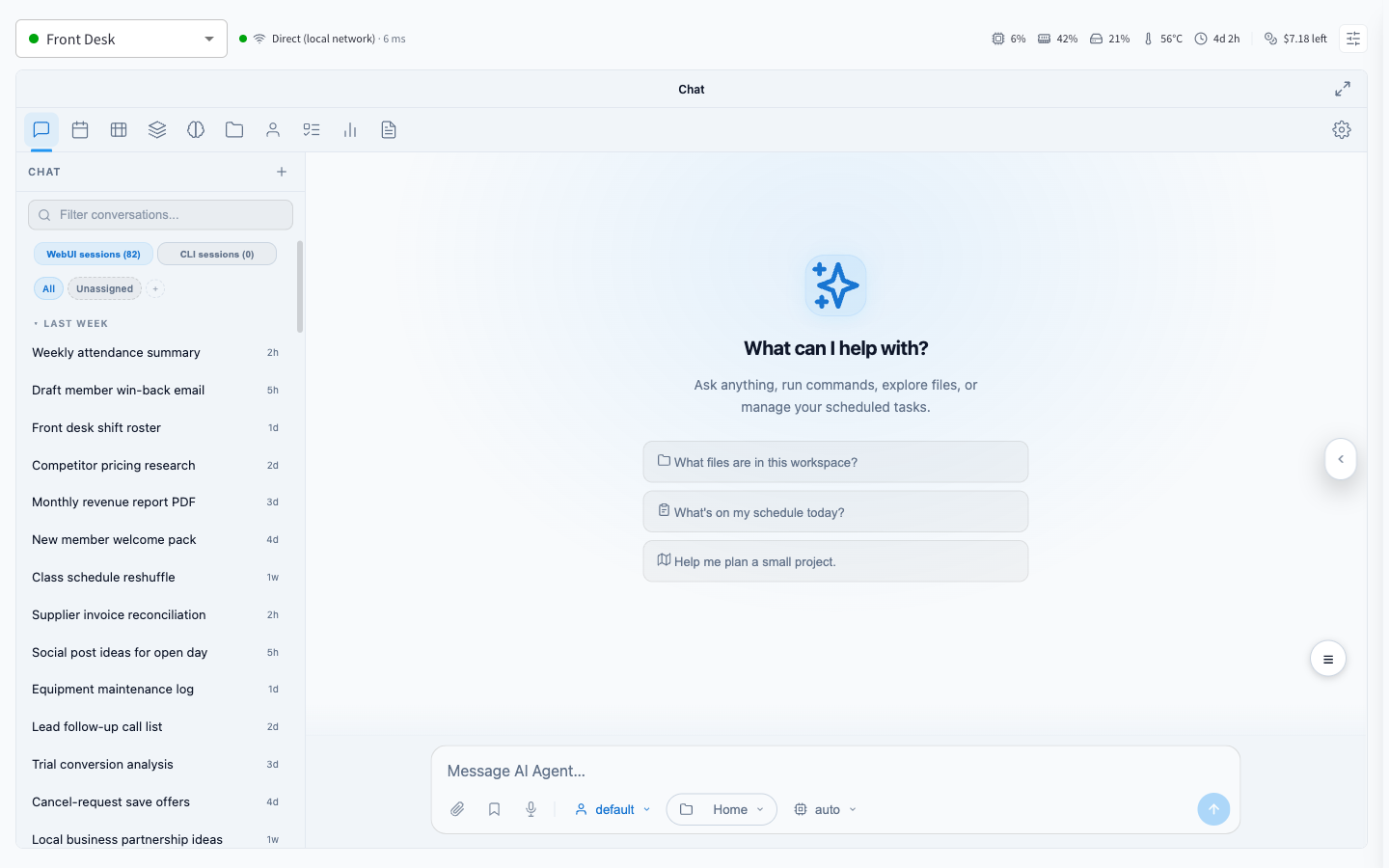
Figure 1: The AI Agent module — the agent's chat, with device status and metrics in the header
What you get
| Piece | What it is |
|---|---|
| The appliance | A compact, fanless mini PC (the hardware) that arrives pre-imaged — no software to install |
| The agent | A full-featured AI assistant with chat, memory, files, a wiki, skills, and scheduled tasks |
| This module | Pairing, device health, budgets, backups, access control, and updates — all managed from Performance Hub |
| AI models | Model access is pre-wired through AI Models & Access — no API keys to obtain or manage |
| Backups | Automatic, encrypted, hourly, to cloud regions you choose |
It's a turnkey product: there is no installation, no model configuration, and no integration project. The device arrives ready; pairing takes a few minutes; the agent is useful on day one.
What it's for
A few of the ways facilities put their agent to work:
- Operational questions, answered from live data. "How did this week's attendance compare to last?" — "Which door controllers are offline?" — "Summarise the failed payments from yesterday."
- A morning briefing waiting in your notifications before you arrive, prepared overnight by a scheduled task.
- Documents and analysis. Give it files — spreadsheets, PDFs, exports — and have it read, cross-reference, summarise, and produce new documents in its workspace.
- Institutional memory. Ask it what was decided about the pricing change in March. It remembers.
- Watchdog automations that check the things you care about and notify you only when something's wrong.
How the pieces fit
The module header shows the essentials at a glance: which device you're using (facilities can run more than one), whether it's online, how you're connected to it, live health metrics, and — optionally — remaining AI spend. The rest of the screen is the agent: its own full web interface, embedded in Performance Hub.
Management lives one click away in the device drawer: metrics and identity, budgets & limits, backups, and configuration including access control and the Performance Hub connection.
Where to start
- Getting started — unboxing to first conversation, in a few minutes.
- Using your agent — what day-to-day work with it looks like.
- How it works — the architecture, for the technically curious.
Requirements
- The AI Agent module enabled for your facility (it requires the Device Management module).
- An AI Agent Processor device — supplied as part of the product.
- Ordinary outbound internet at your facility — no open ports, no firewall changes.
- An AI Models & Access account with credit, which the agent uses for its thinking. Spend is capped per-agent under Budgets & limits.
Documentation map
| Section | Pages |
|---|---|
| Platform | How it works · The hardware · Getting started · Device management |
| Controls | Access control · Budgets & limits · Connecting to Performance Hub |
| Data protection | Backups · Restore & recovery |
| Working with the agent | Using your agent · Workspace, files & wiki · Memory · Personality · Skills · Automations · Notifications · Agent capabilities · Migrating to your agent |
| Reference | Reference · Security & privacy · Troubleshooting · Common questions |