
Apple Watch & Wear OS App
Door & Gate Access ships a full watch app for Apple Watch (watchOS 11 or later) and Wear OS watches — members unlock doors with a tap on the wrist, without reaching for their phone. The watch experience is identical on both platforms; the screenshots below were captured on Apple Watch.
The watch app installs alongside the phone app:


Signing in
The watch never asks for a one-time code itself — it mirrors the session from the paired phone. If the member opens the watch app before signing in on their phone, it shows a Sign in on iPhone prompt (or the Android equivalent) with a Try again button that re-checks for the phone session.
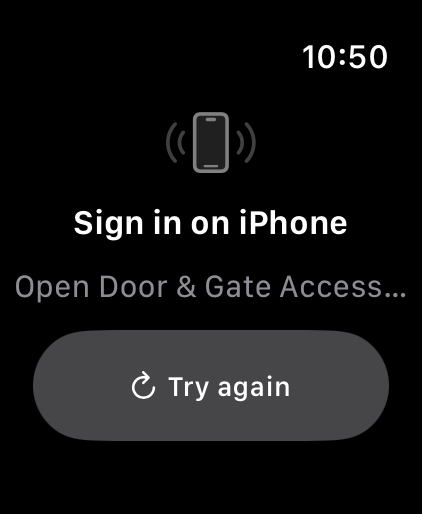
If a member reports the watch is stuck on this screen: have them open Door & Gate Access on their phone, make sure they're signed in, then tap Try again on the watch.
The door list
Once signed in, the watch shows the doors at the selected facility — the same doors, names, and live statuses as the phone dashboard. The member's pinned primary door appears as a larger card at the top with a Tap to unlock hint; other doors follow as rows with a status pill (Door offline, Outside hours, and so on — the same states as the phone app).
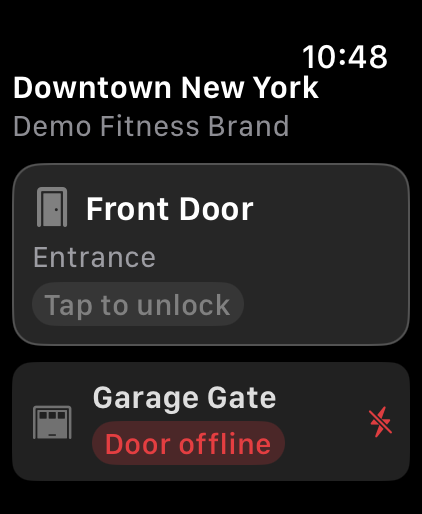
App messages also appear on the watch as banners above the door list.
Switching locations
Members linked to more than one facility tap the facility name at the top of the door list to open the Facilities picker — the active facility is ticked.
The Facilities picker lists each linked facility with its brand underneath, and the member taps a facility to switch to it.
Unlocking from the wrist
Tapping a door runs the same unlock pipeline as the phone: maintenance, access-hours, offline, and geofence checks all apply in the same priority order, and the server still makes the full access decision. For geofenced doors the watch takes its own fresh GPS fix, so wrist unlocks honour geofencing just like phone unlocks. On success the door shows Unlocked with the Re-locking countdown, accompanied by haptic feedback.
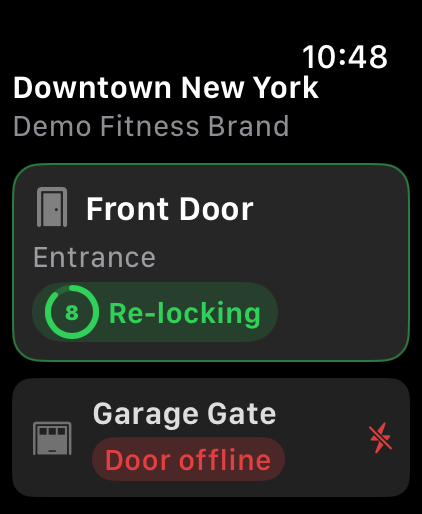
Refused unlocks show the same explanations as the phone (move closer, door offline, outside hours, no access), and every attempt appears in the admin Access Logs.
Watch face & Smart Stack
On Apple Watch the app also ships watch-face complications and a Smart Stack widget that surface the member's primary door and its live status — tapping either opens the watch app ready to unlock. The Smart Stack tile can rotate in automatically when the member arrives at a linked facility.
Related pages
- iPhone & Android App — the phone walkthrough
- CarPlay — unlocking from the car
- The Mobile App — full member-experience reference