
Memory
The reason your agent gets better the longer you use it: it remembers. Not just within a conversation — across all of them. Tell it in March that your peak hours are 6–8am; in September it still knows. Mention once that reports should go to the operations manager; every future report does.
Memory is automatic. As you work together, the agent quietly retains the facts, people, preferences, and decisions that matter, and connects them to each other. Nothing to configure — but everything is inspectable, correctable, and removable, and this page shows how.
What it remembers
Broadly, the things a good employee would keep in their head:
- People — who you are, who your staff are, who does what, how people like to be addressed.
- Your business — the facility, the equipment, the schedule, the quirks ("the pool pump logs pressure warnings that are safe to ignore below 3 bar").
- Preferences and standing instructions — report formats, tone, who gets notified about what.
- Decisions and context — what was decided, when, and why, so you can ask "what did we settle on for the March pricing change?" months later.
It's selective, not a transcript — the agent distils what's worth keeping rather than hoarding every sentence. And memory is per-device: your agent's memory is its own, stored on the appliance, included in backups, and never shared with other agents or facilities.
Looking inside its memory
The interface includes a Long-term memory view with three ways in.
Overview
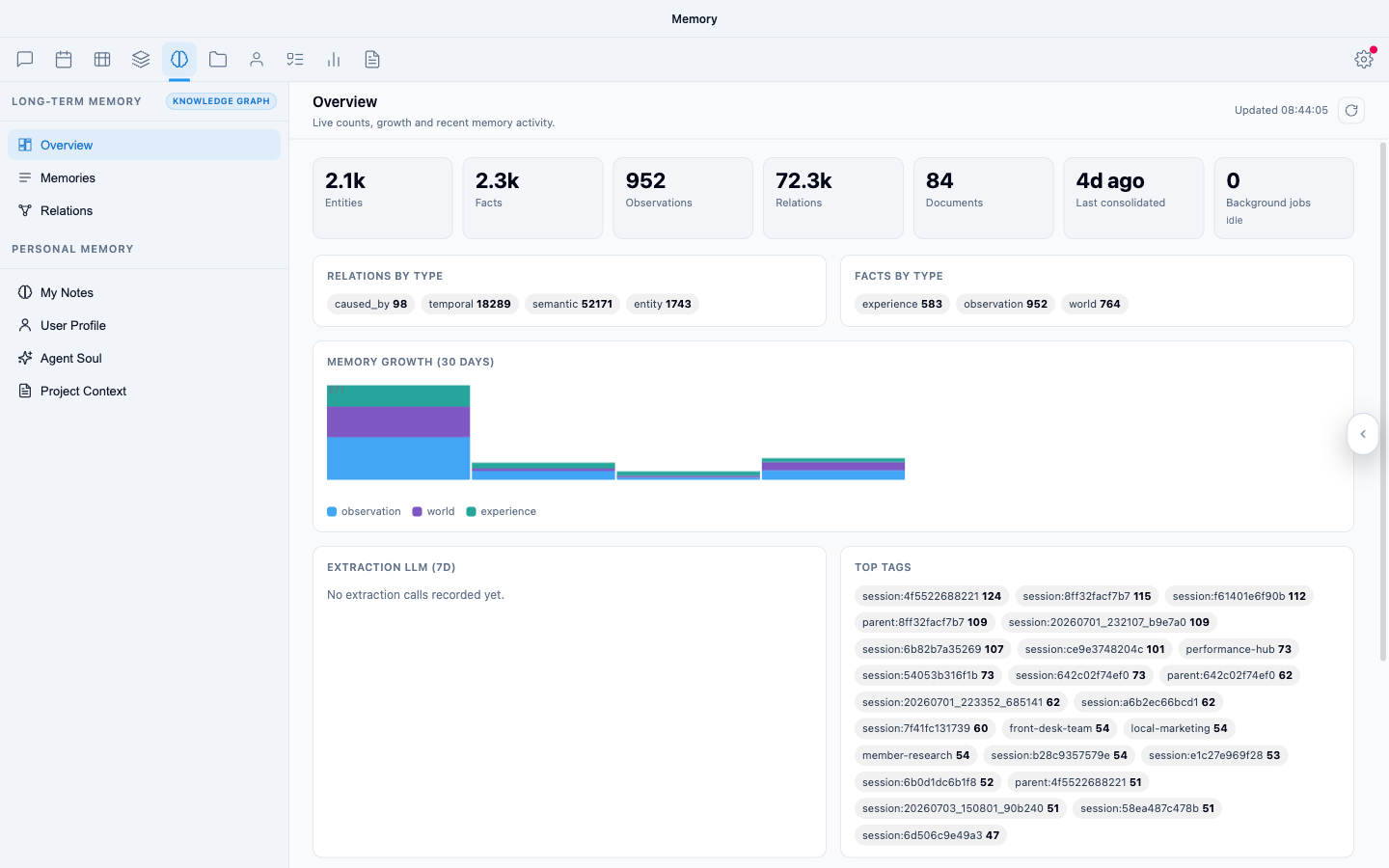
Figure 1: The memory overview — what the agent knows, at a glance
A dashboard of the agent's knowledge: how much it holds, what kinds of things it knows about, and the most connected topics — a quick read on how well it knows your operation.
Relations
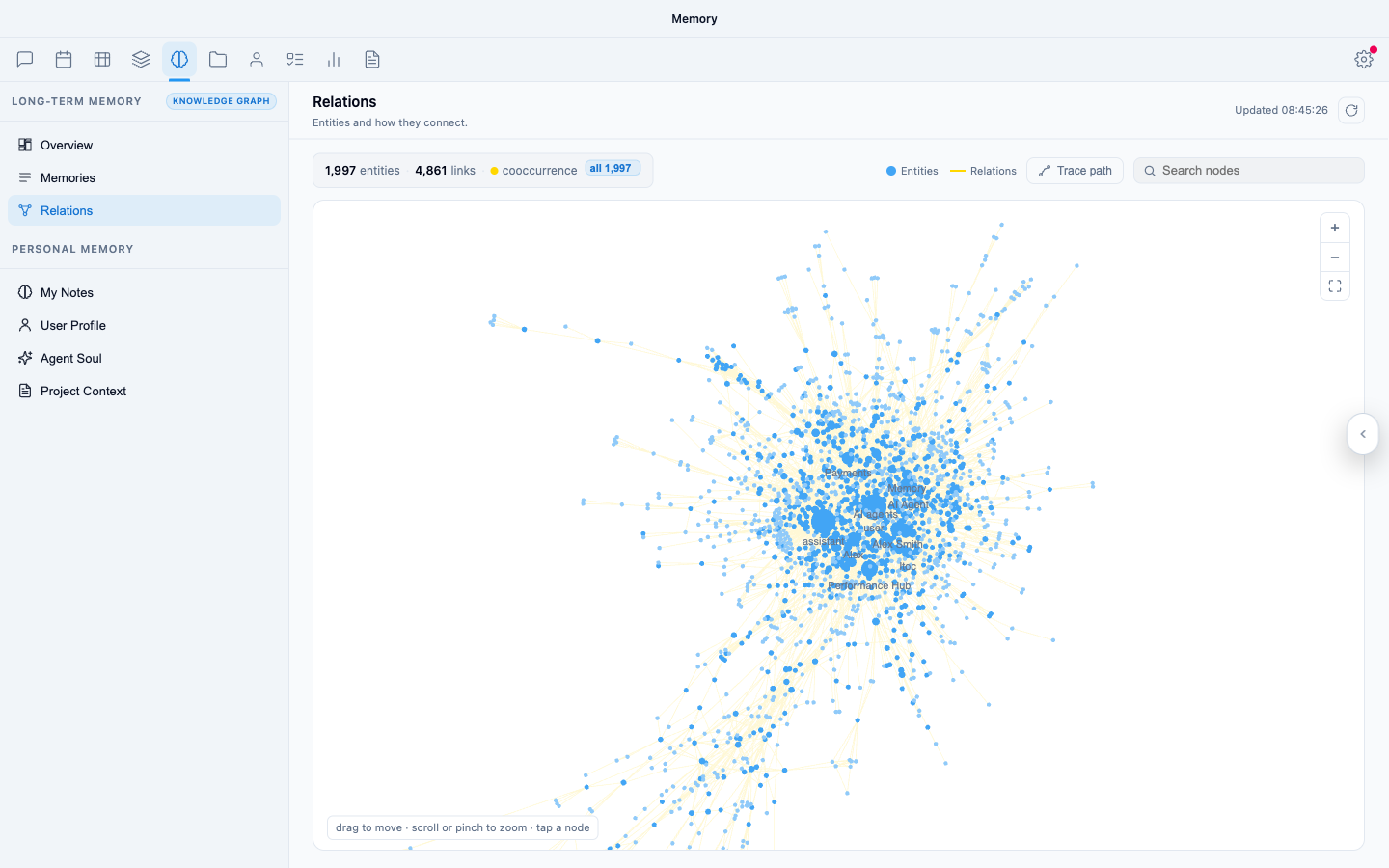
Figure 2: The relations graph — how the agent's knowledge connects
Memory isn't a flat list — it's a graph. People connect to roles, roles to procedures, procedures to equipment. The relations view draws that map: each node is something the agent knows about, each line a relationship it has learned. Watching this graph grow over weeks is the clearest picture of the agent genuinely learning your business.
Memories
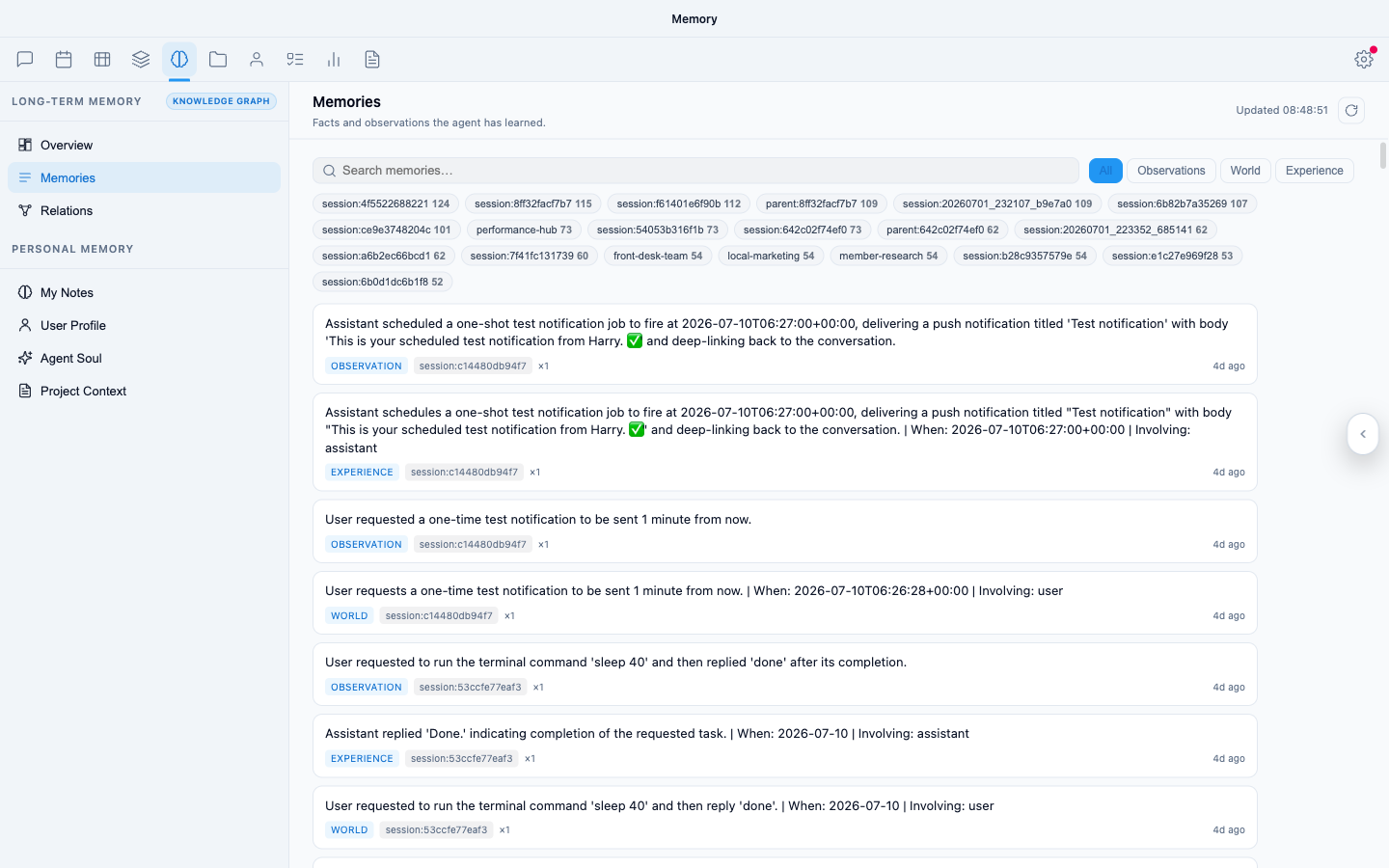
Figure 3: The memories list — individual remembered facts, searchable
The itemised view: individual remembered facts, searchable, with when they were formed. This is where you audit what it knows about a specific topic or person.
Steering its memory
You manage memory the same way you'd manage a colleague's understanding — by talking:
| You want to… | Say something like |
|---|---|
| Make sure something sticks | "Remember this: we close early on public holidays." |
| Check what it knows | "What do you remember about our supplier arrangements?" |
| Correct it | "That's out of date — the ops manager is now Sarah, not Tom." |
| Remove something | "Forget what I told you about the old pricing structure." |
Corrections take effect going forward immediately. It's worth a periodic "what do you remember about X?" on anything operationally important — like any employee, its understanding is only as current as what you've told it.
Memory, wiki, personality — which is which
Three places hold "what the agent knows", with different jobs:
- Memory (this page) — automatic recall: facts and context the agent retains from working with you.
- Wiki — deliberate, readable documents the agent writes and maintains on request.
- Personality — not knowledge at all, but how it behaves: tone, name, standing behavioural instructions.
Rule of thumb: facts about your world belong in memory, reference material you want to read belongs in the wiki, and instructions about conduct belong in personality.
Protection and recovery
Memory is included in every hourly backup. A full restore rolls memory back along with everything else — which is also the recovery path if memory ever gets polluted (say, after feeding the agent a batch of bad data): restore to a point before the damage. See Restore & recovery.