
Budgets & top-ups
The Budgets & Limits tab is where money is managed. It has two sub-tabs: Spend Limits (policy caps) and Balance & Top-up (the balance, top-ups, and the transaction ledger).
For the rates that produce these charges, see the Model Catalog.
Balance & Top-up
The header band shows Available balance, Spent today, Spent this month, and Estimated runway ("Rough estimate based on average daily spend this month. Top up or enable auto top-up to extend it." — shown as e.g. 3 days, Less than a day, 365+ days, or Not enough data).
Manual top-up
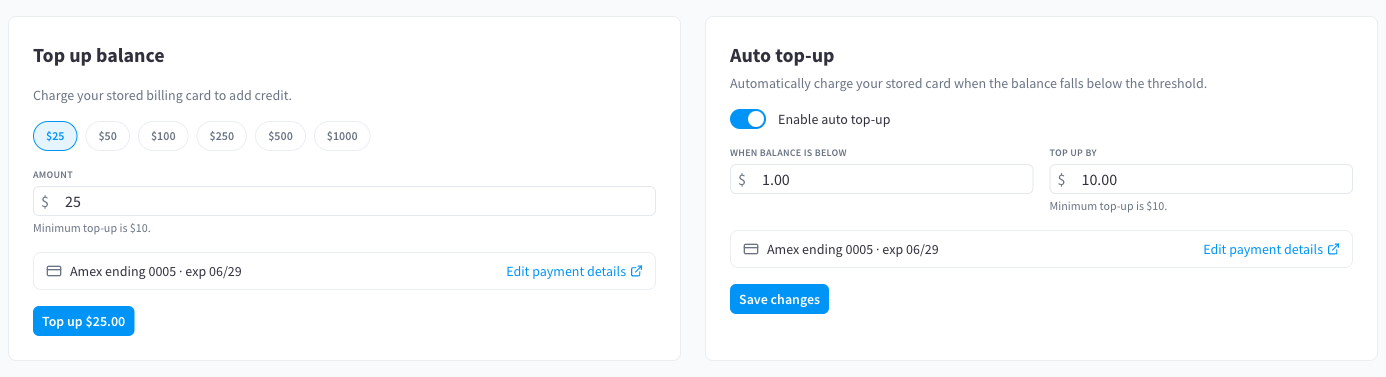
Figure 1: The Top up balance and Auto top-up cards
"Charge your stored billing card to add credit."
- Pick a preset — $25, $50, $100, $250, $500, $1000 — or enter an amount. "Minimum top-up is $10." (A single top-up can be at most $5,000.)
- Confirm the stored card shown below the amount; Edit payment details / Add payment details takes you to your billing settings if needed.
- Click Top up $–.––. Success shows "Top-up successful. Your balance has been credited." and the balance updates instantly.
If your card requires extra verification you'll see "Additional card authentication is required. Please try again."; a failed charge shows "Top-up could not be completed."
Auto top-up
"Automatically charge your stored card when the balance falls below the threshold."
- Switch on Enable auto top-up.
- Set When balance is below (the threshold) and Top up by (the recharge amount, minimum $10).
- Click Save changes.
Auto top-up runs on a schedule (checks happen roughly every 15 minutes). If your balance is already at or below the threshold when you save, the module tells you: "Your balance (…) is already at or below this threshold. Auto top-up will charge your card at the next scheduled check (usually within 15 minutes) — top up now to credit your balance immediately and avoid any interruption."
If an auto top-up can't complete, a banner explains why:
| Banner | Cause |
|---|---|
| "Auto top-up could not run because there is no card on file. Add a card to keep inference running." | No stored card. |
| "Auto top-up needs extra card authentication. Top up manually or update your card to continue." | The card requires interactive verification. |
| "Auto top-up failed (your card was declined). Update your card or top up manually to avoid interruption." | Declined charge. |
Transaction history
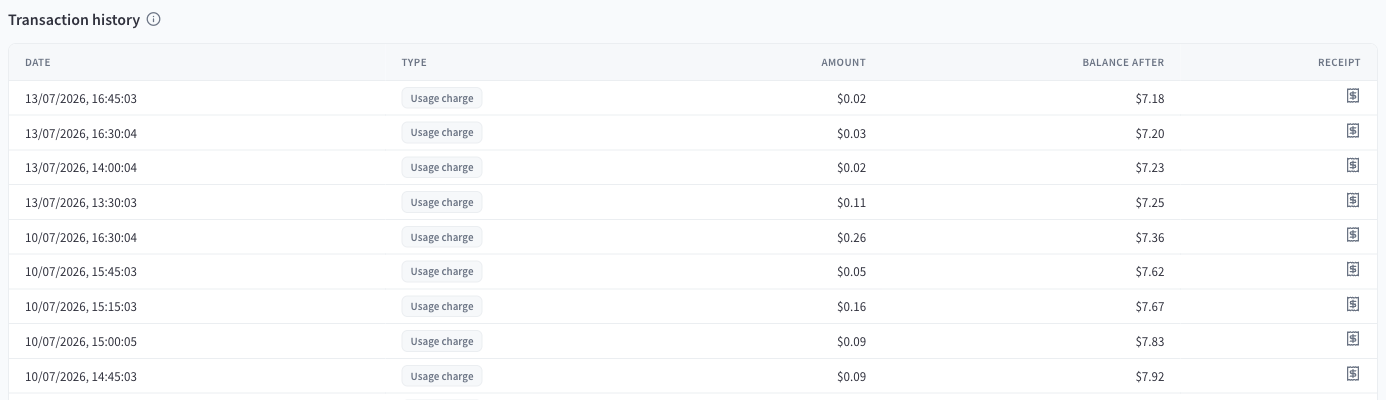
Figure 2: The transaction history — date, type, amount, balance after, and receipt
Every balance movement is a ledger row. "Top-ups appear instantly. Usage charges are reconciled every 15 minutes, so recent spend may take a few minutes to show here."
| Type | Meaning |
|---|---|
| Top-up | A card charge crediting the balance (manual or auto top-up). |
| Usage charge | Reconciled inference spend debited from the balance. |
| Refund | A refunded charge. |
| Adjustment | A balance correction credited or debited by Performance Hub. |
| True-up shortfall | A correction for spend that exceeded the balance before reconciliation caught up. |
Click a row to open the Transaction details drawer:
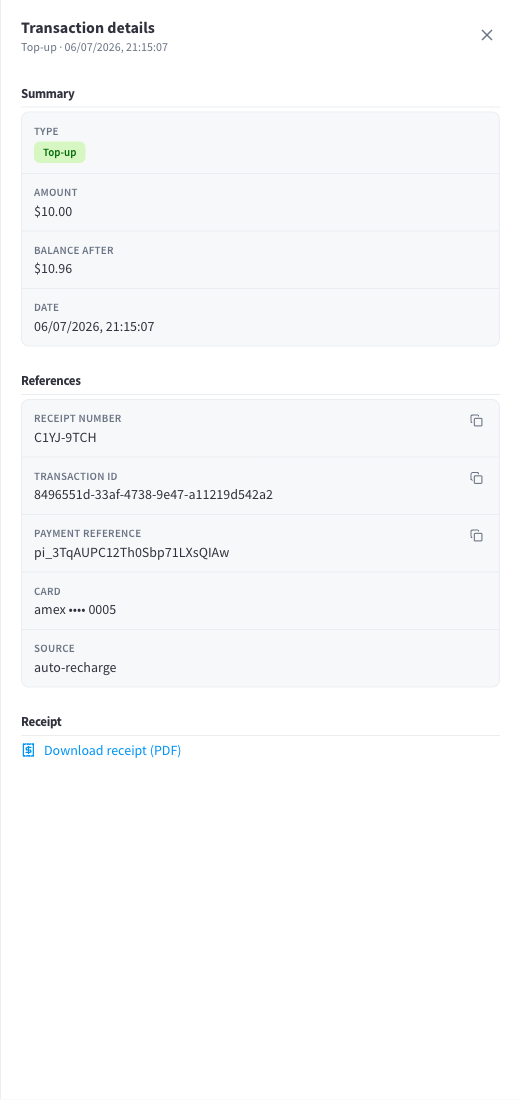
Figure 3: Transaction details — summary, references (receipt number, transaction ID, payment reference, card, source), and the receipt download
Top-ups carry a Receipt number, Transaction ID, Payment reference, the card used, and the source (e.g. auto-recharge for automatic top-ups), plus Download receipt (PDF) / View receipt. A receipt for each top-up is also emailed to your facility's billing contacts.
Spend Limits
The Spend Limits sub-tab caps spend by policy, independent of the balance:
"Cap inference spend with any combination of a daily, monthly, or lifetime limit. Limits apply across every API key and connected agent. The prepaid balance still applies on top."
Account Limits
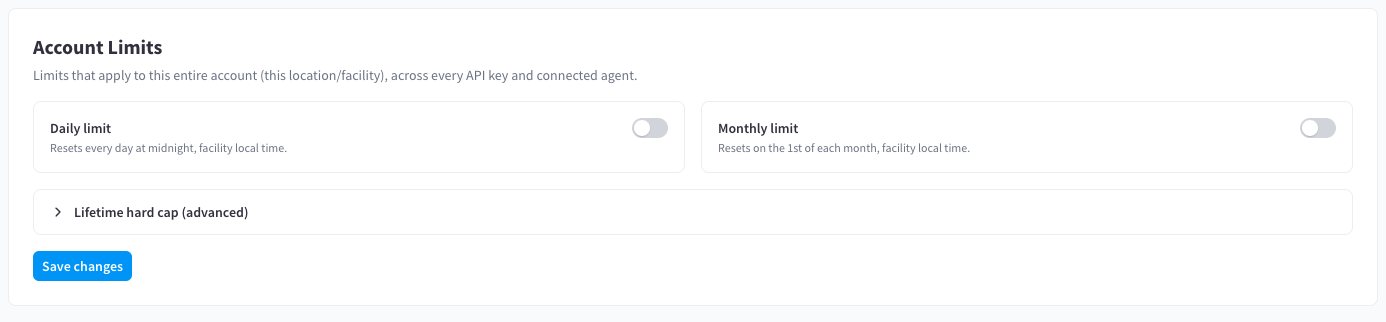
Figure 4: Account Limits — daily and monthly toggles, and the collapsed Lifetime hard cap section
"Limits that apply to this entire account (this location/facility), across every API key and connected agent."
| Limit | Reset behaviour |
|---|---|
| Daily limit | "Resets every day at midnight, facility local time." Quick presets: $25 / $50 / $100 / $250. |
| Monthly limit | "Resets on the 1st of each month, facility local time." Quick presets: $50 / $100 / $250 / $500 / $1000. |
| Total (hard cap) | "Lifetime ceiling. Counts spend since the last reset." Never resets on its own. |
Enable any combination, set the amounts, and click Save changes ("Spend limits saved."). While a limit is active, the module shows progress toward it and projections such as "On track to reach this limit today.", "On track to reach this limit this month.", or "Projected … by the end of this period." When a limit is hit you'll see "Limit reached for this period." and requests are blocked with a budget exceeded error until the window resets (daily/monthly) or you raise/reset the limit.
Lifetime hard cap (advanced)
Expand Lifetime hard cap (advanced) to manage the total cap:
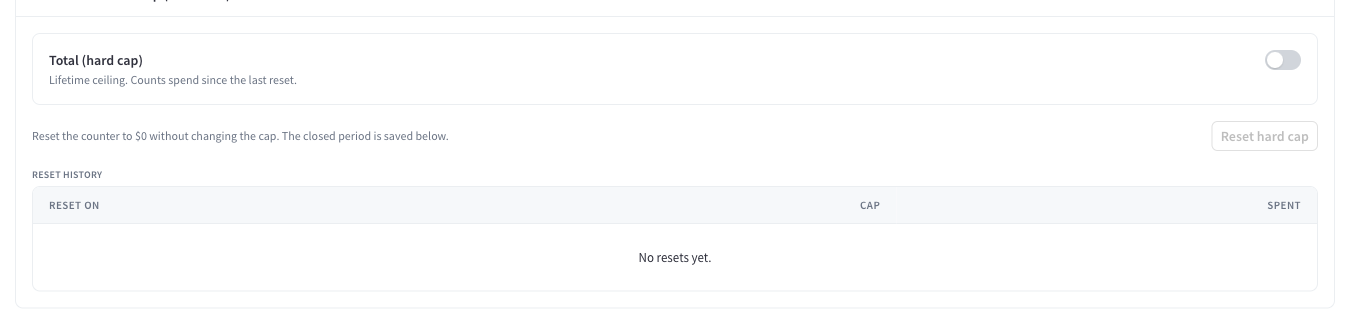
Figure 5: The Total (hard cap) toggle, the Reset hard cap action, and the reset history
- The counter tracks spend since the last reset — a brand-new facility counts from its first request.
- Reset hard cap — "Reset the counter to $0 without changing the cap. The closed period is saved below." / "Starts the lifetime counter over from $0. The cap amount stays the same." The confirmation shows "The current period — spent … of … — is saved to the reset history."
- Reset history records each closed period (Reset on, Cap, Spent). "No resets yet." until the first reset.
Use the hard cap for "never spend more than X without a human deciding to continue" — when it's reached, spending stays blocked until someone deliberately resets the counter or raises the cap.
Per-agent spend limits
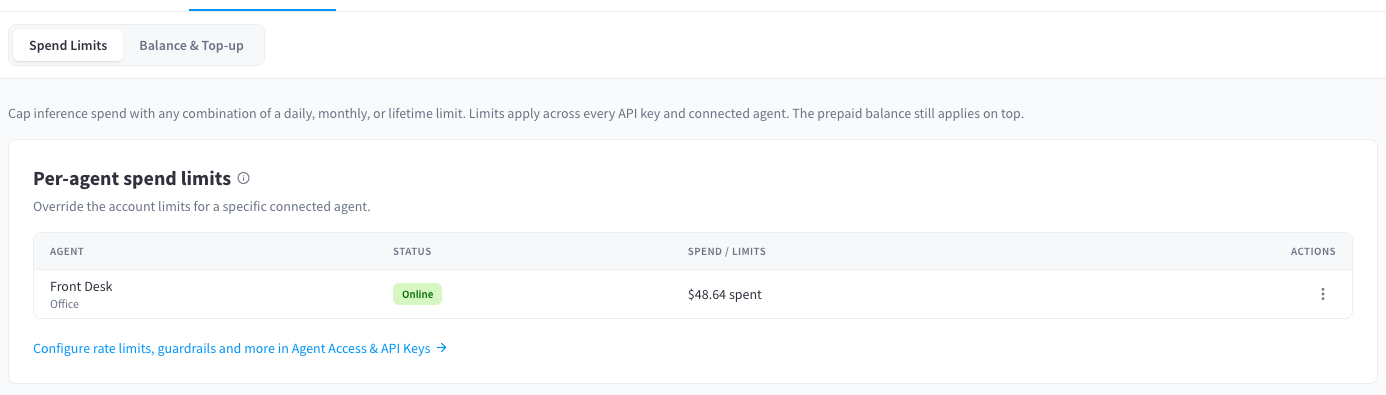
Figure 6: Per-agent spend limits — set a tighter cap on an individual agent
"Override the account limits for a specific connected agent." / "Set a tighter cap on an individual agent. The account limits below still apply on top."
Use the row action to Set spend limits for an agent (daily / monthly / lifetime, same semantics as account limits, counting only that agent's spend). For rate limits, model restrictions, and guardrails, follow the link: "Configure rate limits, guardrails and more in Agent Access & API Keys" — see AI Agents.
What happens at zero balance
When the available balance reaches $0, inference is blocked with an insufficient credits error and the module warns: "Your balance is depleted. Inference requests will be blocked until you top up." AI Agents show a credits-required state instead of their chat. Model listing keeps working. Top up (or let auto top-up run) and requests resume within moments.