Profile Info
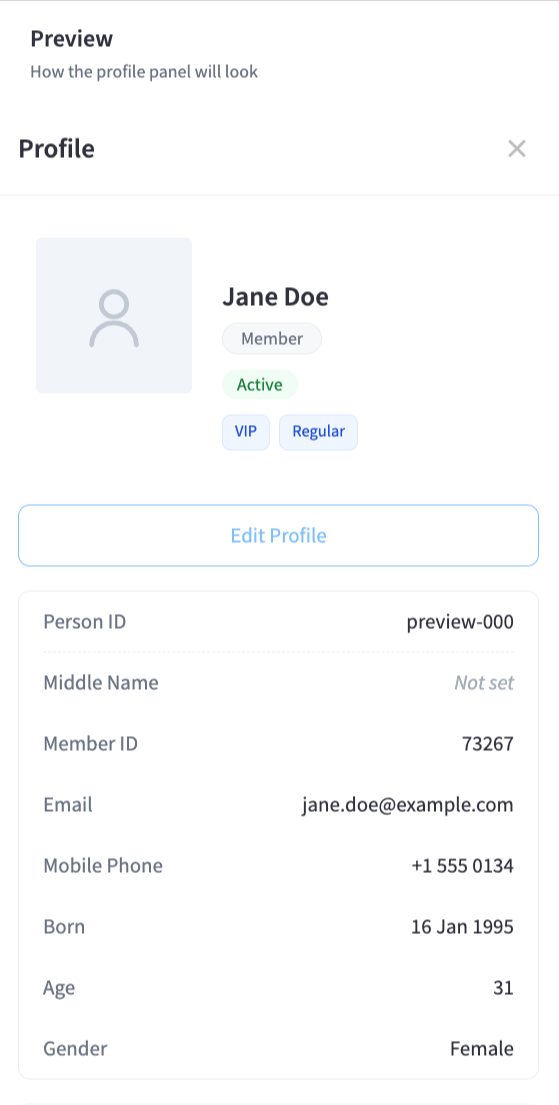
The Profile Info settings page controls which sections and fields are visible on a person's profile panel in the CCTV system.
Profile Panel Visibility
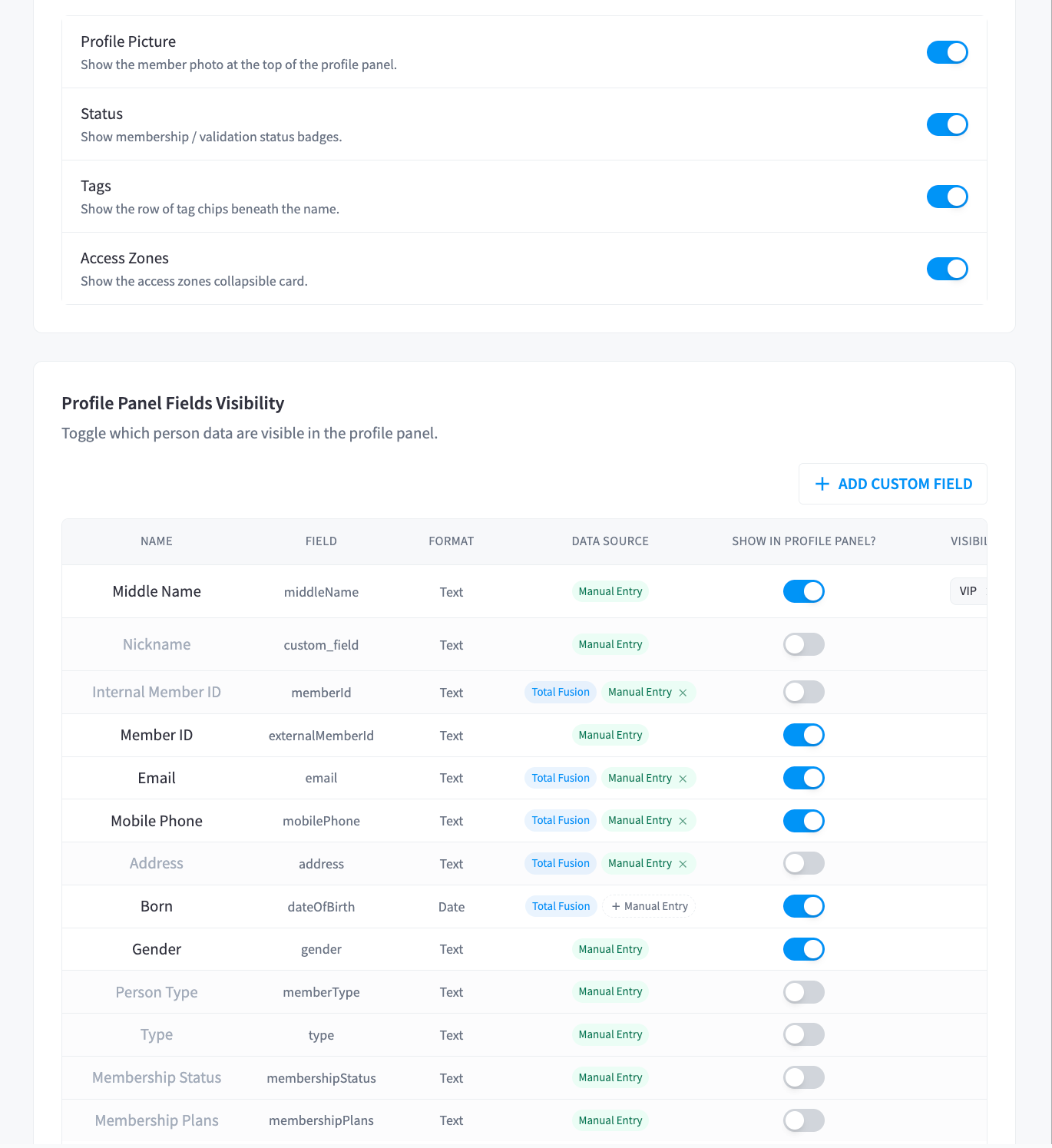
Toggle which sections of the person profile panel are shown or hidden.
| Section | Description | Default |
|---|---|---|
| Profile Picture | Member photo at the top of the profile panel | Visible |
| Status | Membership and validation status badges | Visible |
| Tags | Tag chips displayed beneath the person's name | Visible |
| Access Zones | Collapsible card showing which zones the person can access | Visible |
| Door Access Badge | Badge that links to the door reader settings | Hidden |
Person Profile Fields
Configure which data fields appear on the person profile panel. Fields can be enabled or disabled individually. Custom fields can also be added.
Field Types
| Type | Description |
|---|---|
| Default | Standard fields synced from your Partner system |
| Computed | Fields calculated by the system (e.g. Age derived from date of birth) |
| Custom | Fields you have added manually |
Available Fields
| Field | Key | Type | Source |
|---|---|---|---|
| Middle Name | middleName | Text | Custom |
| Nickname | custom_field | Text | Custom |
| Internal Member ID | memberId | Text | Default |
| Member ID | externalMemberId | Text | Default |
email | Text | Default | |
| Mobile Phone | mobilePhone | Text | Default |
| Born | dateOfBirth | Date | Default |
| Age | _age | Number | Computed |
| Gender | gender | Text | Default |
| Person Type | memberType | Text | Default |
| Type | type | Text | Default |
| Membership Status | membershipStatus | Text | Default |
| Membership Plans | membershipPlans | Text | Default |
| Created | created | Date | Default |
| Updated On | updated | Date | Default |
| Last Seen | lastSeen | Date | Default |
| Membership Updated | membershipUpdatedOn | Date | Default |
| Identified | isIdentified | Text | Default |
Each field can be toggled on or off, and custom fields can be deleted. Use Add custom field to create new fields specific to your facility's needs.