
People Timeline
The People Timeline settings page controls how the timeline displays member activity and how individual face detections are grouped together into visits.
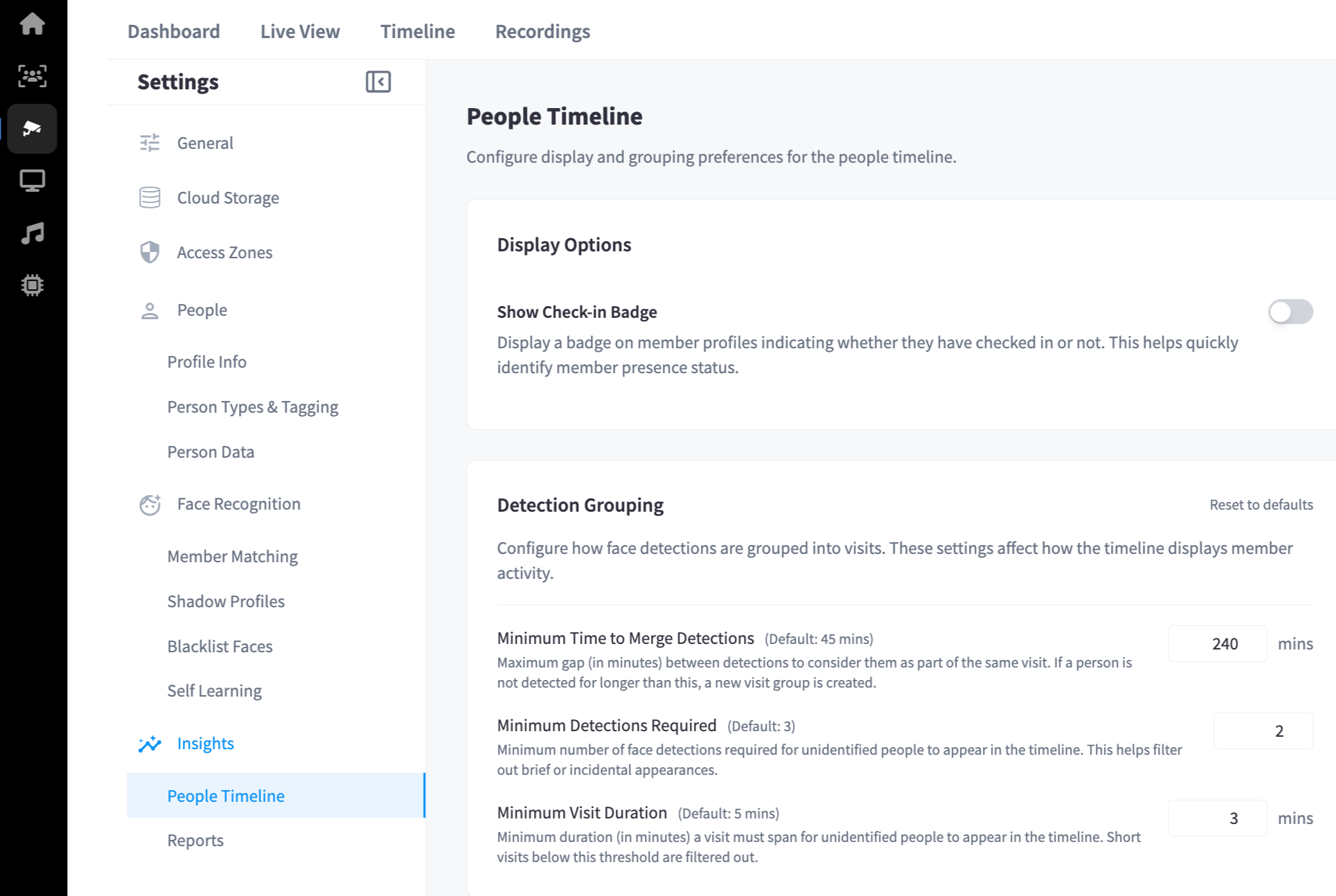
Display Options
| Setting | Description | Default |
|---|---|---|
| Show Check-in Badge | Displays a badge on member profiles in the timeline indicating whether they have checked in. Helps quickly identify member presence status. | On |
Detection Grouping
These settings control how the system merges individual face detections into a single visit entry on the timeline. Changes here affect how activity is displayed for both identified members and unidentified visitors.
Use Reset to defaults to restore the original values.
| Setting | Description | Default |
|---|---|---|
| Minimum Time to Merge Detections | Maximum gap in minutes between detections before a new visit group is started. If a person is not detected for longer than this, a new visit is created. | 45 mins |
| Minimum Detections Required | Minimum number of face detections required for an unidentified person to appear in the timeline. Filters out brief or incidental appearances. | 3 |
| Minimum Visit Duration | Minimum duration in minutes a visit must span for an unidentified person to appear in the timeline. Short visits below this threshold are filtered out. | 5 mins |
Note: These grouping settings apply to unidentified people. Identified members are always shown on the timeline regardless of detection count or duration.