
Cloud Storage
The Cloud Storage settings page controls where your recordings are stored, how long they are kept, and how long AI-generated metadata is retained.
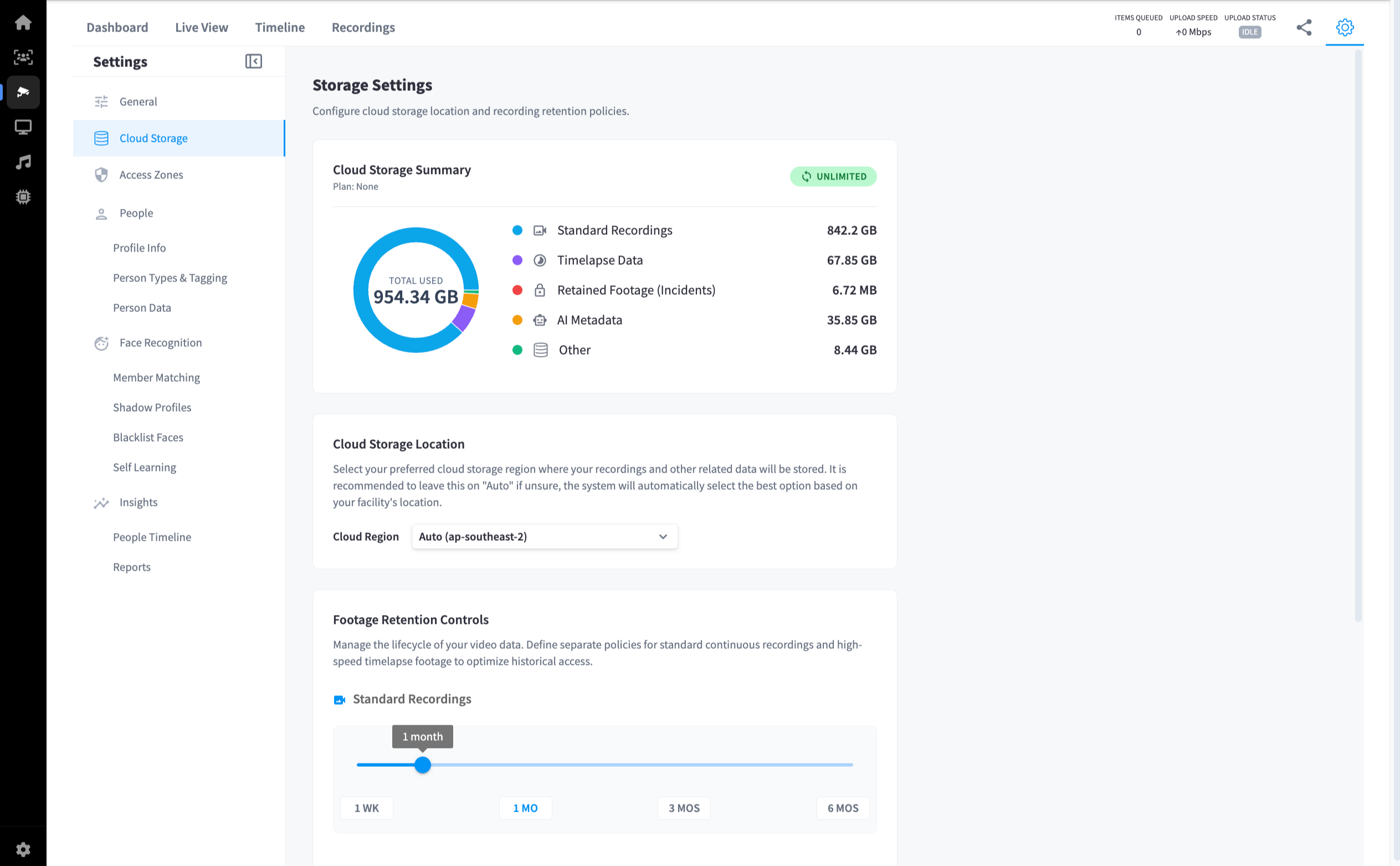
Cloud Storage Summary
Shows an overview of your current storage usage broken down by data type.
| Data Type | Description |
|---|---|
| Standard Recordings | Continuous video recordings from cameras |
| Timelapse Data | Timelapse footage |
| Retained Footage (Incidents) | Footage manually flagged and retained beyond the standard retention period |
| AI Metadata | Object detection, facial recognition logs, and analytics data |
| Other | Additional system data |
The summary also displays your current plan and total storage used.
Cloud Storage Location
Select the cloud region where your recordings and related data are stored.
| Option | Description |
|---|---|
| Auto (default) | The system automatically selects the best region based on your facility's location. Recommended for most facilities. |
| Manual region | Select a specific region if your organisation has data residency requirements. |
Note: It is recommended to leave this on Auto unless you have a specific reason to choose a region manually.
Footage Retention Controls
Define how long different types of video data are retained before being automatically deleted.
Standard Recordings
Set the retention period for continuous camera recordings using the slider or the preset buttons:
| Preset | Retention |
|---|---|
| 1 WK | 1 week |
| 1 MO | 1 month |
| 3 MOS | 3 months |
| 6 MOS | 6 months |
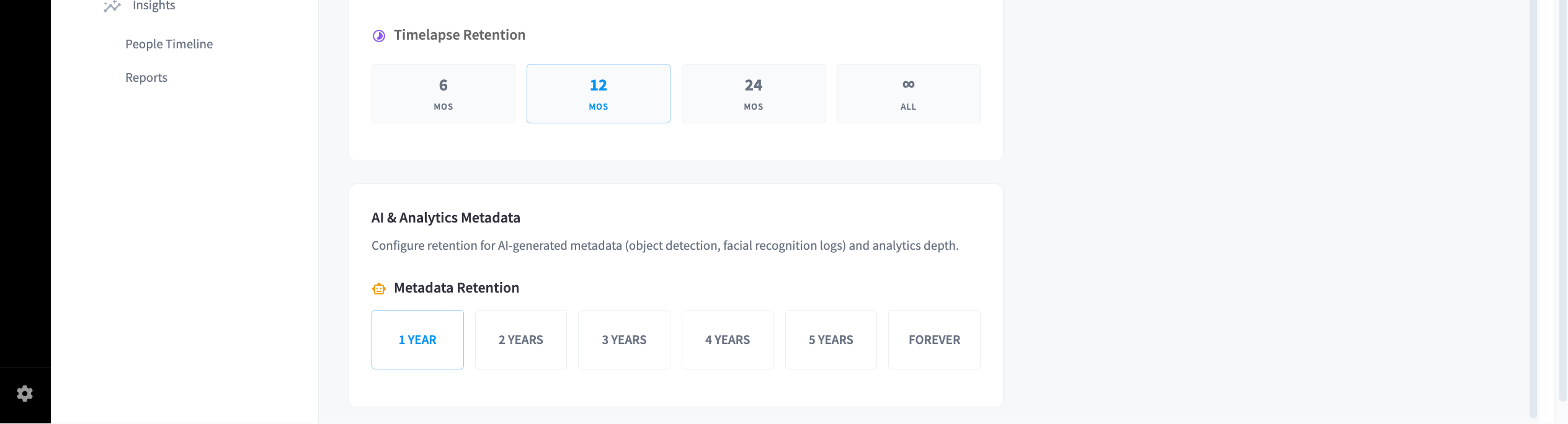
Timelapse Retention
Set the retention period for timelapse footage:
| Preset | Retention |
|---|---|
| 6 MOS | 6 months |
| 12 MOS | 12 months |
| 24 MOS | 24 months |
| ∞ ALL | Keep indefinitely |
AI & Analytics Metadata
Configure how long AI-generated metadata (object detection logs, facial recognition data, and analytics) is retained.
| Preset | Retention |
|---|---|
| 1 YEAR | 1 year |
| 2 YEARS | 2 years |
| 3 YEARS | 3 years |
| 4 YEARS | 4 years |
| 5 YEARS | 5 years |
| FOREVER | Keep indefinitely |
Note: Retaining more metadata improves historical reporting and trend analysis but increases storage usage over time.