
Member Matching
The Member Matching settings page configures how the facial recognition system identifies known members. Thresholds control how strict or lenient matching is, and a logic visualisation diagram shows how each detection flows through the decision process.
Preset Configurations
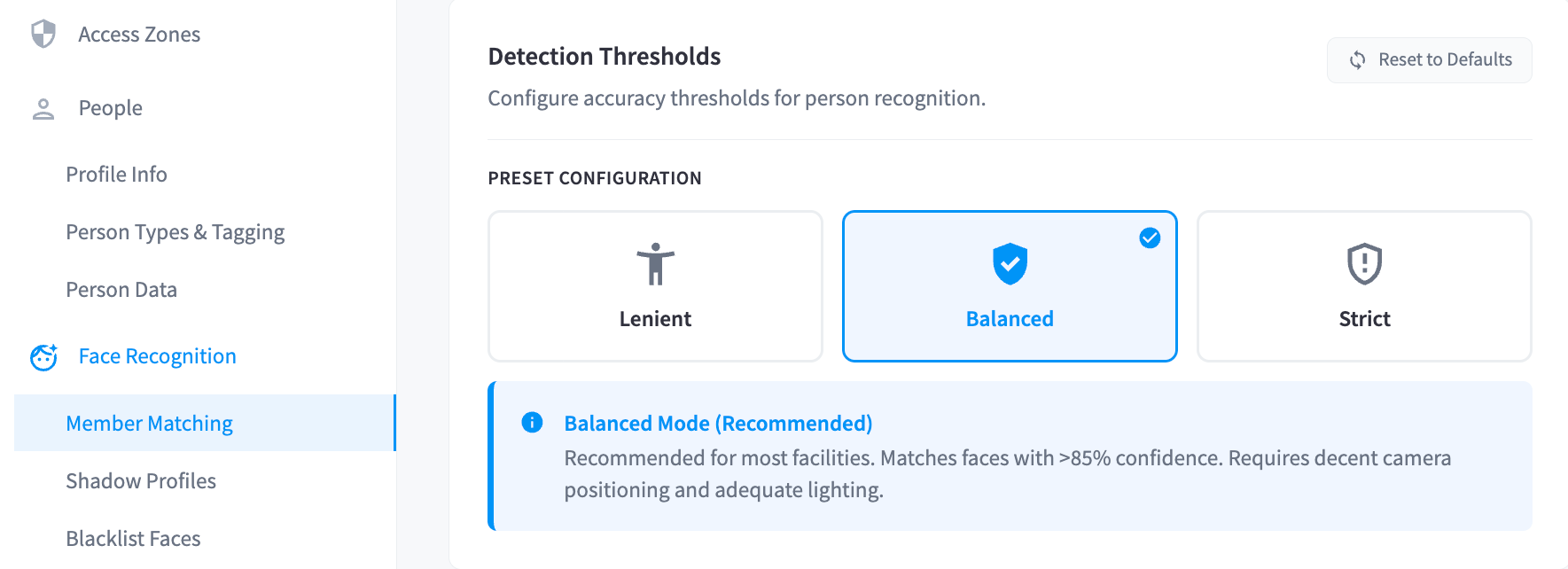
Three presets are available to quickly apply a standard configuration:
| Preset | Best For |
|---|---|
| Lenient | Facilities with lower-quality cameras or poor lighting; accepts more matches but higher false positive risk |
| Balanced | General use; a middle ground between accuracy and coverage |
| Strict | Facilities with well-positioned, high-quality cameras and good lighting; minimises false positives |
Use Reset to Defaults to restore the original threshold values.
Detection Thresholds
Member Search
Controls how broadly the system searches for candidate matches before applying match thresholds.
| Setting | Description | Default |
|---|---|---|
| Identified Collection Search Floor | Minimum similarity score the facial recognition engine must return before a result is considered. Must always be lower than the Match Threshold. | 47% (Low) |
A lower search floor means more candidates are returned for consideration, which allows the match threshold to do its job. Setting this too high means valid matches never reach the threshold check. 47% -- Low (Default) is recommended for most facilities.
Visit-Assisted Matching
When a face is detected, the system checks for recent facility check-ins and applies a similarity bonus to members known to be on site.
| Setting | Description | Default |
|---|---|---|
| Visiting Member Bonus | Similarity points added when a match candidate has a recent check-in | +5 (+2, +5, +7, or Custom also available) |
| Check-in Lookback Window | How far back to search for check-ins | 30 mins (Can be set anywhere from 1 minute up to 6 hours) |
Match Thresholds
| Setting | Description | Default |
|---|---|---|
| Identified Match Threshold | Minimum similarity score required to confirm a face as a matched identified member. Similarity scores include: 65% - Very Low, 70% - Low, 80% - Lenient, 85% - Balanced (Default), 92% - Strict, 99% - Very Strict | 85% (Balanced) |
| Drop Threshold | Matches scoring above this but below the Match Threshold are dropped — not confident enough to confirm | 45 |
Note: The Drop Threshold must always be lower than the Match Threshold. Matches that fall between the two values are discarded rather than flagged as uncertain.
Face Pose Limits — Identified
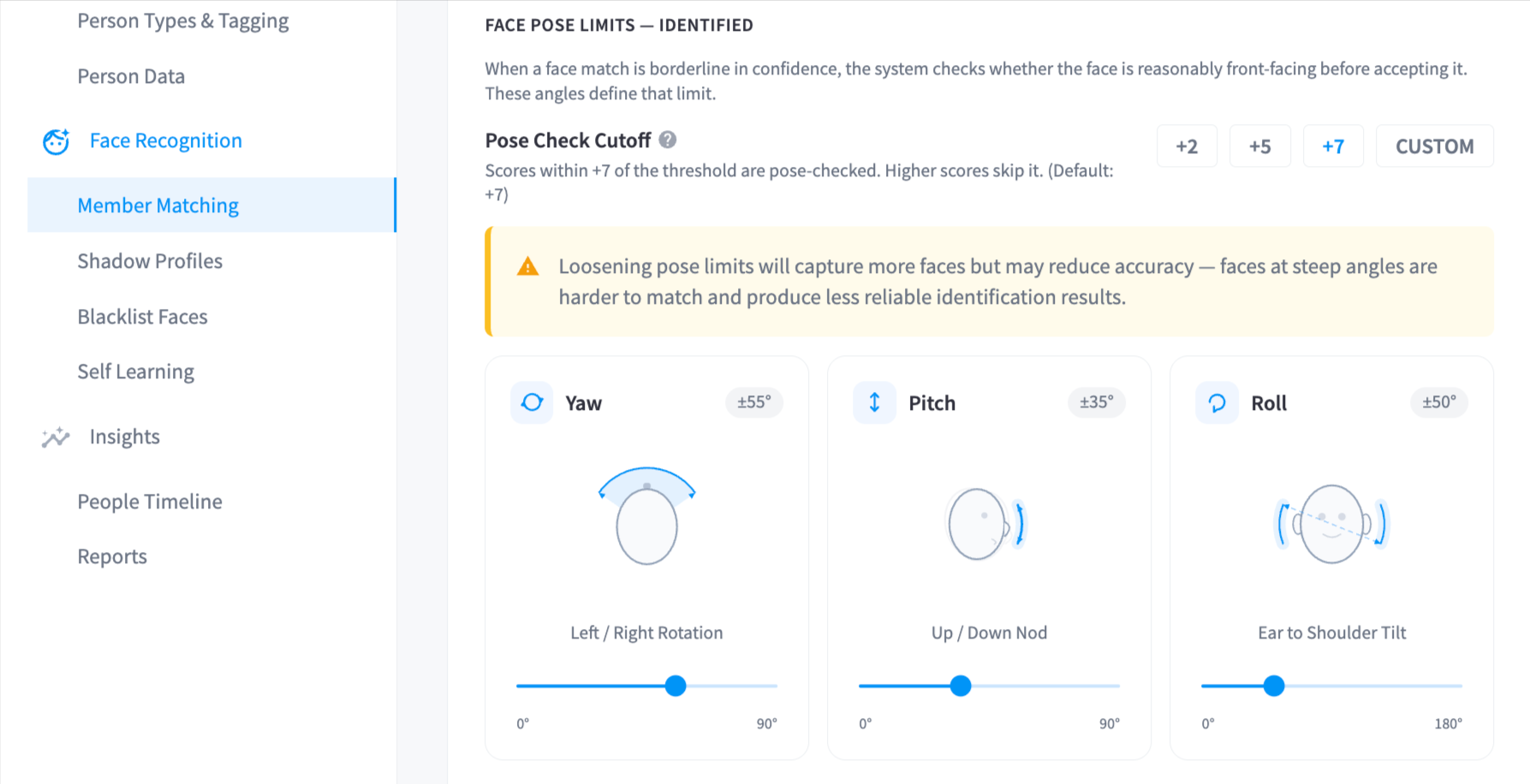
When a face match is borderline in confidence, the system checks whether the face is reasonably front-facing before accepting it.
| Setting | Description | Default |
|---|---|---|
| Pose Check Cutoff | Scores within this many points of the threshold trigger a pose check; higher scores skip it | +7 |
| Yaw | Left/right rotation limit | ±55° |
| Pitch | Up/down nod limit | ±35° |
| Roll | Ear-to-shoulder tilt limit | ±50° |
Note: Loosening pose limits captures more faces but may reduce accuracy — faces at steep angles are harder to match reliably.
Logic Visualisation
A diagram on the right side of the page shows a visual representation of the full matching decision flow with your current settings applied — from face detection through to confirmed member match, shadow profile, or dropped result. Each decision point in the diagram links back to the relevant threshold setting.