
Role templates
Performance Hub role templates are "Ready-made roles kept up to date by Performance Hub, including access to new modules." They cover common jobs at most kinds of site, so many organisations can give people the right access without creating any roles of their own. In a role, a template is marked Maintained by Performance Hub.
Quick reference
Where to find it: Settings (cog icon) → Identity and Access Management → Roles → Performance Hub role templates
Who can access: Organisation admins, and people whose role includes Identity and Access Management. Only organisation admins can customise or hide templates.
Purpose: Use ready-made roles, customise them, or hide the ones your organisation doesn't use
The templates
The templates your organisation can use are listed at the top of the Roles tab:
| Template | Description |
|---|---|
| Organisation Administrator | "Full access to everything your organisation uses, including people, roles and settings." Marked Org admin, with Organisation access scope. |
| Site Manager | "Runs day-to-day operations at the sites they're assigned, without access to payments, billing, security settings or audit logs." |
| Front of House | "Welcomes visitors and staff: opens doors and gates, plays music and keeps site screens and details up to date." |
| Screens & Audio | "Manages what plays on the site's screens and speakers." |
| Security | "Monitors cameras and controls door and gate access." |
| Technology Administrator | "Sets up and looks after devices, cameras, doors, screens, automations and integrations." |
| Viewer | "A read-only overview of the sites they're assigned." |
Every template except Organisation Administrator uses Chosen per user access scope: you pick the facilities or regions when you give the template to someone. For example, Front of House could cover the reception desk of an office tower for one person and the front counter of a leisure centre for another.
Business Suite templates
Only shown if your organisation has Business Suite. These templates are listed as well:
| Template | Description |
|---|---|
| Site Owner | "Runs the sites they're assigned end to end, including payments, contracts and billing, without managing people, roles or audit logs." |
| Instructor | "Runs sessions and programs: schedules, trial bookings, training programs and the site's screens and audio." |
| Marketing | "Creates marketing and print materials and looks after the website, directory listings and analytics." |
| Finance | "Looks after payments, contracts, billing and business verification details." |
The Organisation Administrator, Site Owner, Site Manager and Finance templates require a verification code at every sign-in. See Force 2-Step Authentication.
Customise a template
Customise a template when it's close to what you need but the modules aren't quite right.
- On the Roles tab, click Customise next to the template.
- In Customise template name, choose what happens to the template:
- Move users to the copy: people who hold the template now hold your copy instead. The number shows how many people that is.
- Hide the template in this organisation: hides the template, so nobody gives it out by mistake.
- Click Create copy.
"This creates a role your organisation owns, starting from this template. Your copy no longer follows Performance Hub updates to the template." Your copy appears in your organisation's roles, where you can edit it like any other role.
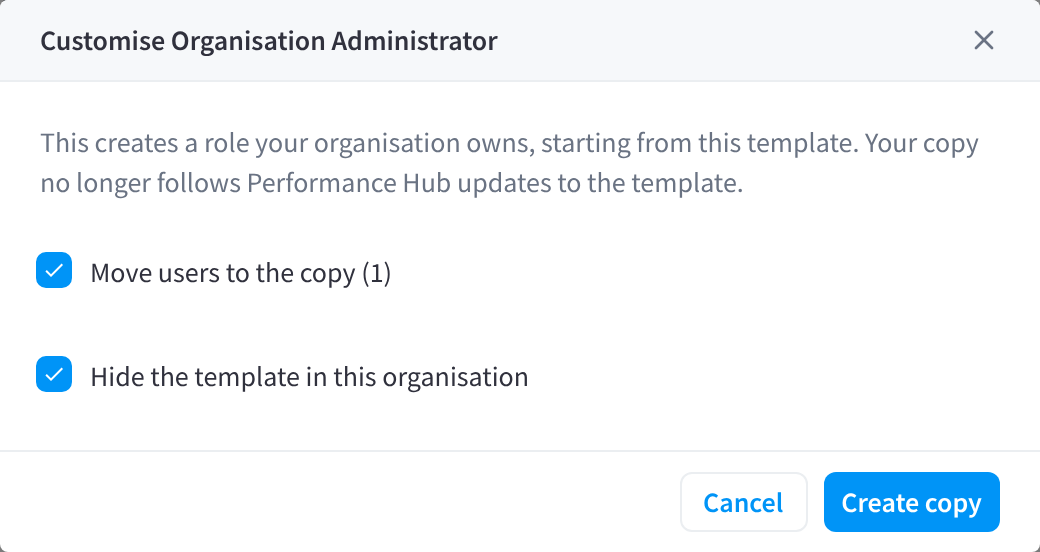
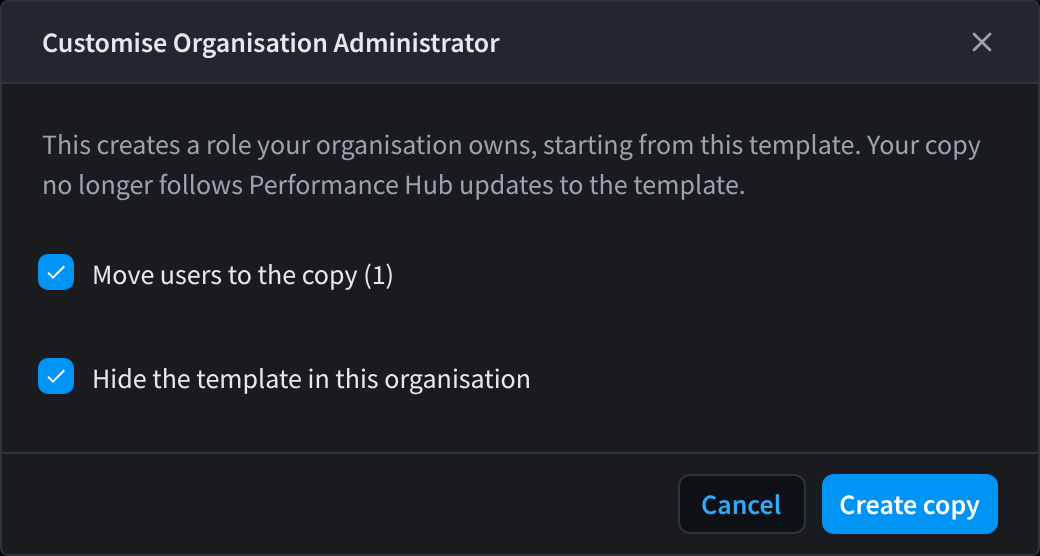
Figure 1: Customise a Performance Hub role template to make a copy your organisation owns
Hide or show a template
Click Hide next to a template your organisation doesn't use, for example Security if you don't have cameras. A hidden template is marked Hidden; click Show to bring it back.
Retired templates
When Performance Hub retires a template, it's marked Retired. A retired template stays listed while people still hold it. They keep their access, but you can't give it to anyone new ("This role template has been retired and can't be assigned"). Consider moving its holders to another role or to a customised copy.
Related pages
- Roles: the Roles tab
- Creating & editing roles: roles your organisation owns
- Access scope & module access: Chosen per user and the other scopes