
Facility & System Configuration
Facility & System Configuration is where you "manage the core details, physical location and operating hours used across your facility systems." Set them once for each site, whether it's an office, a store, a café or bar, a venue, a campus, a clinic or a gym, and the rest of the Performance Hub uses them: door auto-unlock, display screen power and brightness, audio, workflows and your marketing materials.
Quick reference
Where to find it: Settings (cog icon, bottom left) → Facility & System Configuration
Who can access: Users with Facility & System Configuration access at the facility
Works on: The facility selected in the facility selector (top right). Switch facility to see another site's settings.
Purpose: Keep each facility's details, address and hours correct, so the automations that depend on them run at the right times
The page
The page has three sections. Use the Details, Location and Hours buttons at the top right to jump to one.
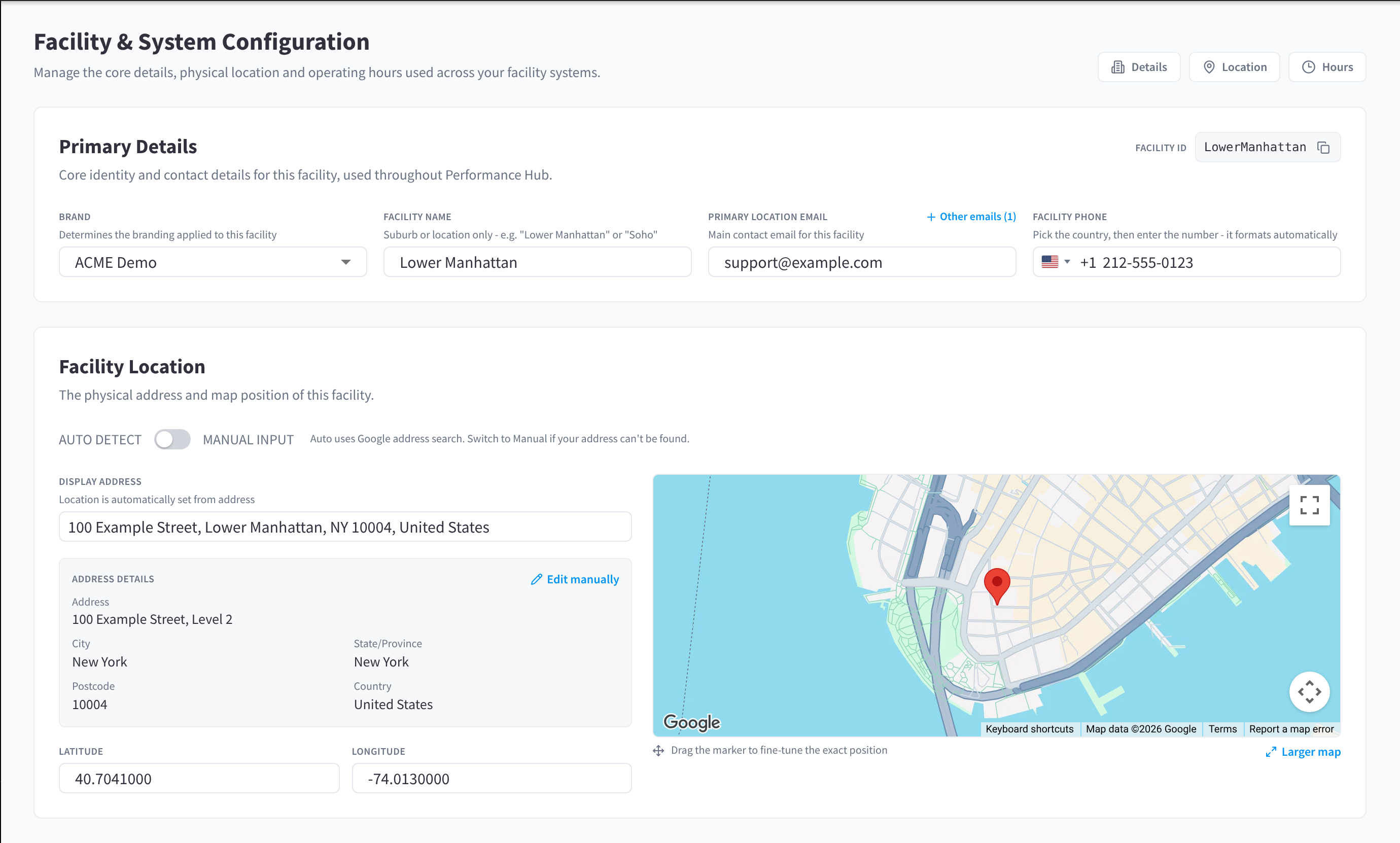
Figure 1: Facility & System Configuration, with Details, Location and Hours
| Section | What you set there |
|---|---|
| Primary Details | "Core identity and contact details for this facility, used throughout Performance Hub": brand, facility name, primary email, phone and other emails |
| Facility Location | "The physical address and map position of this facility", found with Google address search or entered by hand |
| Facility Hours | The facility's time zone, and its Staffed Hours, Unstaffed/Extended Hours and Holiday Hours |
Save your changes
Changes aren't saved straight away. When you change anything, a bar shows "You have unsaved changes". Click Save changes to save them ("Saving..." shows while it saves), or Discard to undo them.
How hours fit together
| Hours | What they mean | Example |
|---|---|---|
| Staffed Hours | "Open with staff on site." | A clinic's reception from 8:00am to 6:00pm on weekdays |
| Unstaffed/Extended Hours | "Open, but may not be staffed." | A gym's 24/7 member access, or a coworking space open to members after reception closes |
| Holiday Hours | Hours for public holidays and other special days. "Holiday hours replace your staffed hours on that date." | Christmas Day, or a staff training day |
"They drive automations such as door auto-unlock, screen power and audio. Devices can take up to 15 minutes to pick up changes saved here." See How hours are used.
What isn't here
- Publishing a facility and its online profile, such as showing it as closed or opening soon, are in Website & Directory. Website & Directory is for Business Suite users with that module enabled.
- Brands, organisation details and public holidays for the whole organisation are in Organisation Settings, in the settings menu.
- Adding, deleting and restoring facilities is in Identity & Access Management.
Documentation guide
- Primary details: brand, facility name, primary email, phone, Facility ID and other emails.
- Facility location: find the address with AUTO DETECT, or enter it with MANUAL INPUT, and place the map marker.
- Staffed hours: the time zone, staffed hours, copying hours between days and the weekly overview.
- Unstaffed/Extended hours: hours the facility is open without staff.
- Holiday hours: Default Holiday Hours, upcoming public holidays and your own holiday blocks.
- How hours are used: the doors, screens, audio and workflows that follow your hours.
- Common questions
Related pages
- First setup checklist: Facility & System Configuration in the order you set up a facility
- Facilities: add and manage facilities
- Display Automations: screen power that follows your staffed hours