
Billing & Cost Management
Billing & Cost Management is the billing for the selected facility: what it has cost so far this month, its monthly budget, its invoices and receipts, the rates that apply, and how it pays. It's where a franchised retail store, a café, a clinic billed on its own or a single gym manages its billing when it pays for itself.
Quick reference
Where to find it: Settings (cog icon) → Billing & Cost Management
Who can access: People with the Billing & Cost Management module at the facility. See Who can see it.
Purpose: Follow the facility's costs, download its invoices and receipts, and keep its payment method and balance in order
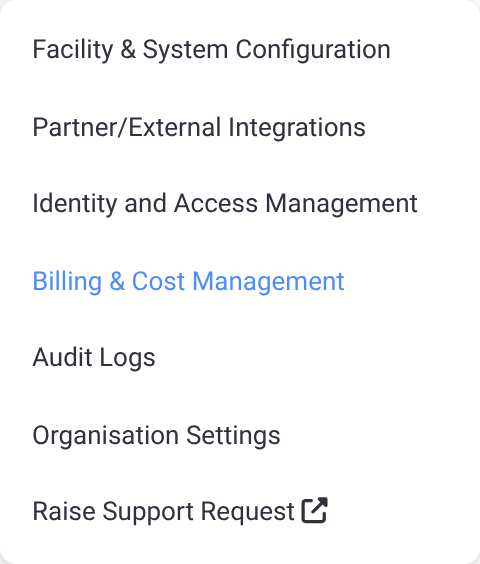
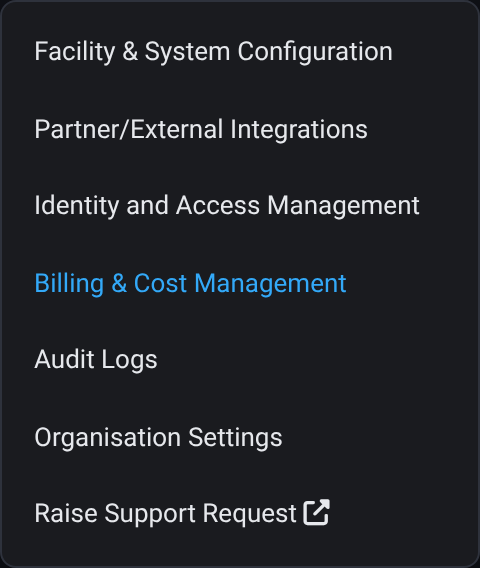
Figure 1: Billing & Cost Management in the Settings menu
Who pays, and how the bill is settled
Two separate things decide how a facility is billed.
Who pays is set by your organisation in Organisation Settings > Billing:
- Organisation pays for all facilities (the Performance Hub default): one monthly statement and one payment for every facility, with a shared balance. Organisation admins manage it in Organisation Settings.
- Each facility pays for itself: each facility gets its own statement and pays with its own payment method and balance. It's managed here, in Billing & Cost Management.
- Exceptions: a single facility can be set differently from the organisation's default, for example one clinic in a medical group that pays for itself.
Every change to who pays takes effect from the 1st of next month, so a month is never split between two payers. Until then, the current payer keeps paying.
How the bill is settled is set by Performance Hub on your account:
- Prepaid balance: usage is deducted from a balance that you top up by card, by hand or with auto top-up.
- Monthly invoice (some accounts): you're invoiced after the month and pay by card or by bank transfer.
Your settlement method is part of your agreement with Performance Hub. To change it, contact Support (Settings → Raise Support Request).
When your organisation pays for the facility
If your organisation pays for this facility, Billing & Cost Management opens your organisation's billing for it instead.
| You are | Who pays for the selected facility | What you see |
|---|---|---|
| Anyone with the Billing & Cost Management module | The facility pays for itself | Billing & Cost Management, with all five tabs |
| An organisation admin | The organisation | The facility's billing in Organisation Settings → Billing, with the Billed to your organisation banner and the tabs Overview, Cost Breakdown, Invoices & Receipts and Pricing. There's no Payment Settings tab: payment methods and the balance are managed for the organisation. See One facility's billing. |
| Not an organisation admin | The organisation | No billing for this facility: "Only organisation admins can see Billing; facility staff can’t." |
When a change to who pays is scheduled, what you see changes on the 1st of next month, when the new payer takes over.
Who can see it
- Organisation admins always have Billing & Cost Management.
- The built-in Business roles Site Owner and Finance include it.
- In Technology Stack organisations, you can add Billing & Cost Management to any custom role in Roles.
The tabs
| Tab | What it's for |
|---|---|
| Overview | The cost summary, monthly budget, balance and this month's usage. See Overview tab & budgets. |
| Cost Breakdown | A month's usage by service. See Cost Breakdown & Pricing. |
| Invoices & Receipts | Every invoice and receipt for the facility. See Invoices & Receipts. |
| Pricing | The rates that apply to your account. See Cost Breakdown & Pricing. |
| Payment Settings | Payment methods, the balance and top-ups, and the billing profile. See Payment Settings. |
Days and months in Billing & Cost Management follow UTC, so a day's usage runs from midnight to midnight UTC, and a month from the 1st to its last day in UTC.
Related pages
- Who Pays: set who pays by default, and exceptions for single facilities
- Organisation Settings: the settings that apply across your organisation
- Roles: give a custom role Billing & Cost Management
- Platform Pricing: how Performance Hub pricing works
- Common questions