
Invoices & Receipts
Invoices & Receipts keeps every billing document for the facility in one list, so a practice manager, a store manager or a school's business office can find last quarter's invoices without asking anyone.
Quick reference
Where to find it: Settings (cog icon) → Billing & Cost Management → Invoices & Receipts
Who can access: People with the Billing & Cost Management module at the facility. See Who can see it.
Purpose: Find and download the facility's invoices and receipts
All invoices & receipts
"Every billing document for this facility in one place — platform invoices, balance top-up receipts and Model Router receipts. Filter by type and download PDFs individually or in bulk."
The list has the columns Date, Document, Reference, Details, Status and Amount. Documents include:
- Platform invoice: the facility's monthly invoice. Details shows the usage month it covers. Expand the row to see its delivery history.
- Balance top-up (card): a receipt for a top-up of the balance. Details shows the card used.
- Model Router receipts, for facilities that use Model Router. See Budgets & top-ups in the Model Router docs.
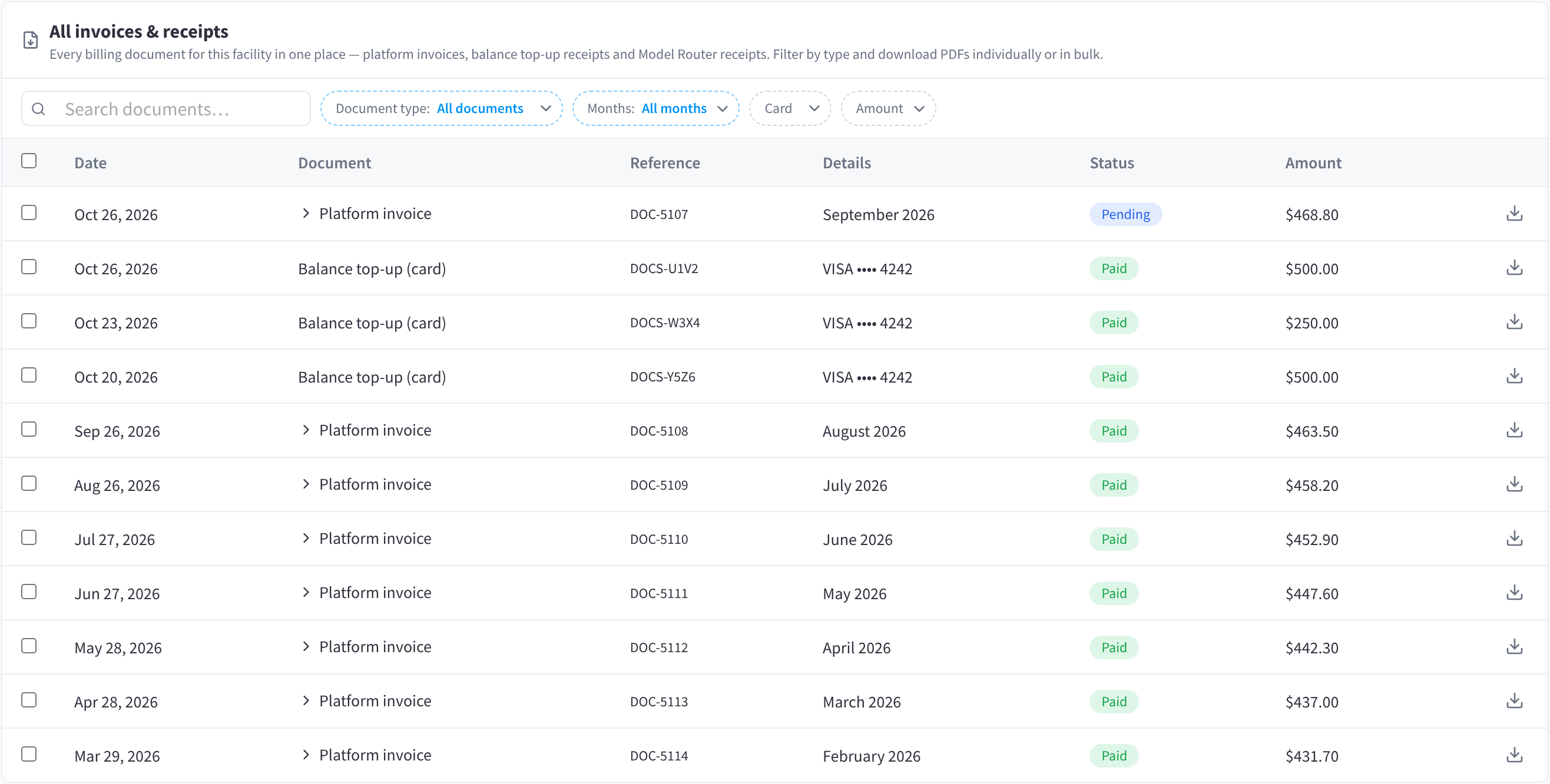
Figure 1: Every invoice and receipt for the facility, with filters and bulk download
Find a document
Type in Search documents..., or narrow the list with the filters Document type (for example, only platform invoices), Months, Card and Amount.
Download documents
- To download one document, click the download icon at the end of its row.
- To download several, select their rows, then download them in bulk.
Invoices are named for the usage month
An invoice is named for the month of usage it covers, not the month it's issued. The invoice for September's usage is issued in October and shows "September 2026" in Details.
Statuses
- Paid: the document has been paid.
- Pending: the invoice has been issued and isn't paid yet.
Related pages
- Insights & Statements: the organisation's statements, for facilities the organisation pays for
- Payment Settings: top up the balance, and who gets invoices
- Cost Breakdown & Pricing: what's behind each month's invoice