
Fallback Slate
The Fallback Slate is what a screen shows when nothing is published to it, or nothing that is published can play. Brand it so a screen never looks broken, even when it has nothing to show.
Quick reference
Where to find it: Main menu → Display Screens → cog icon → Fallback Slate
Who can access: Users with Display Screens access at the facility
Purpose: Make sure screens always show something on-brand
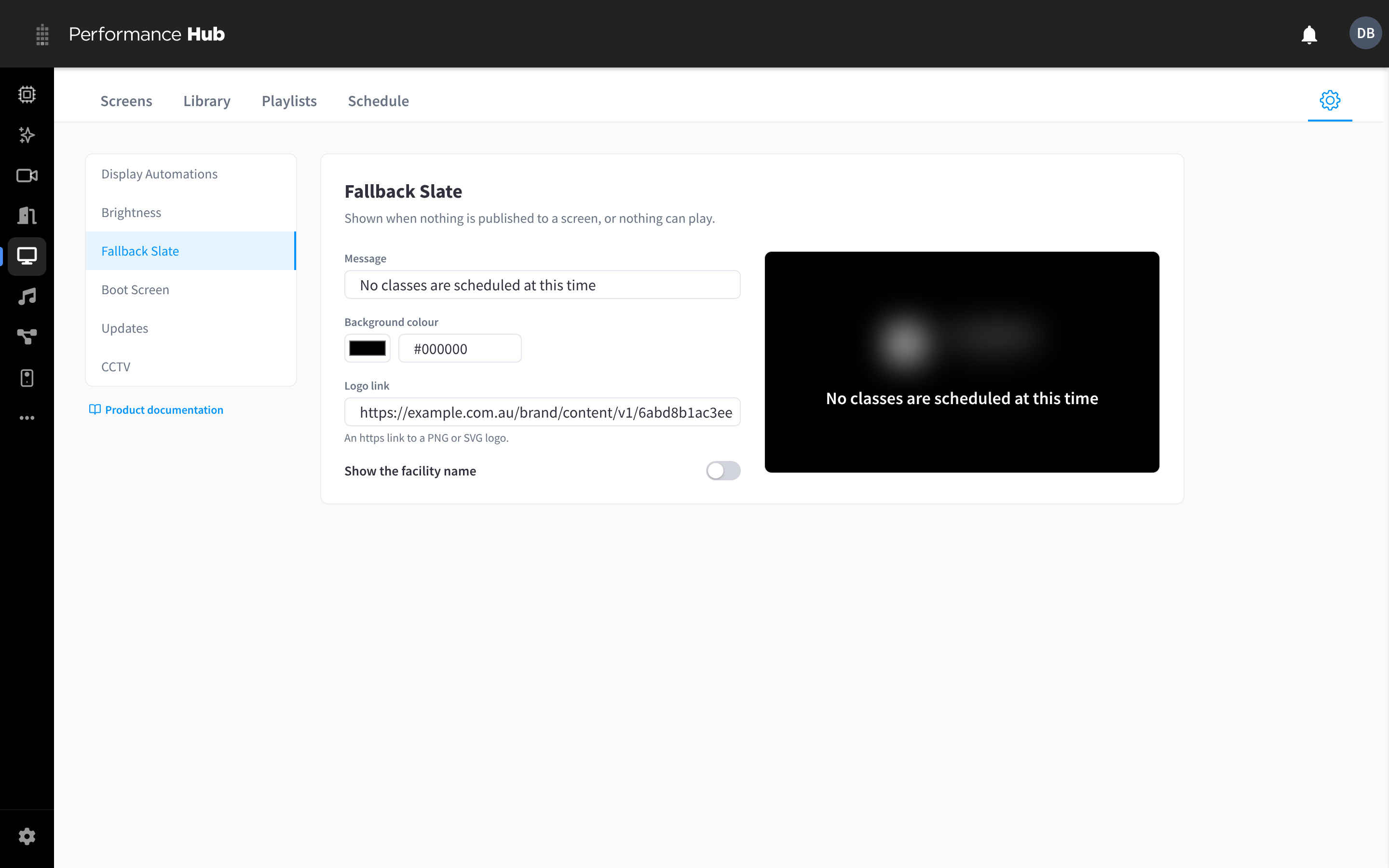
Figure 1: The Fallback Slate shows when a screen has nothing to play
Settings
| Setting | What it does |
|---|---|
| Message | The text on the slate, up to 140 characters, for example "No classes are scheduled at this time" or "Welcome to the front desk". If you leave it empty, the placeholder shows "Welcome". |
| Background colour | The slate background colour, for example #000000 |
| Logo link | An https:// link to a PNG or SVG logo. Leave empty to use the facility logo. |
| Show the facility name | Shows the facility's name on the slate. Off by default. |
The preview shows how the slate will look on a screen. Click Save changes to apply it.
When screens show the Fallback Slate
- A new screen with nothing published to it, its groups or the facility.
- Scheduled content has ended and there is no default content.
- Everything published can't play, for example a web page that refuses to load inside a playlist, or an agent app that has been unpublished.
If a screen shows the slate when you expect content, see Content doesn't appear on a screen.
Related pages
- Publishing content: give screens default content so the slate rarely shows
- Display Automations: turn displays off when nobody is watching
- Troubleshooting